
Announcement

Collapse
No announcement yet.

Partner 728x90

Collapse

Session Template Error

Collapse
X
 
  • Filter
  • Time
  • Show
Clear All
new posts

    Session Template Error

    Hello,

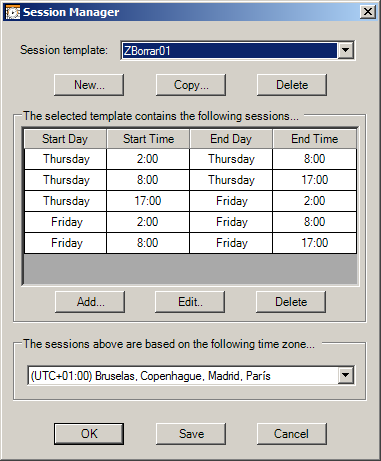
    I created a new session template to show only Thursday and Friday.

    On Thursday will consist of three sessions:
    1) 2:00 a.m. - 8:00 a.m.
    2) 8:00 a.m. - 5:00 p.m.
    3) 5:00 pm - 2:00 am the next day (Friday)

    Friday will consist of two sessions:
    1) 2:00 a.m. - 8:00 a.m.
    2) 8:00 a.m. - 5:00 p.m.


    When I apply this session, some bars are missing.

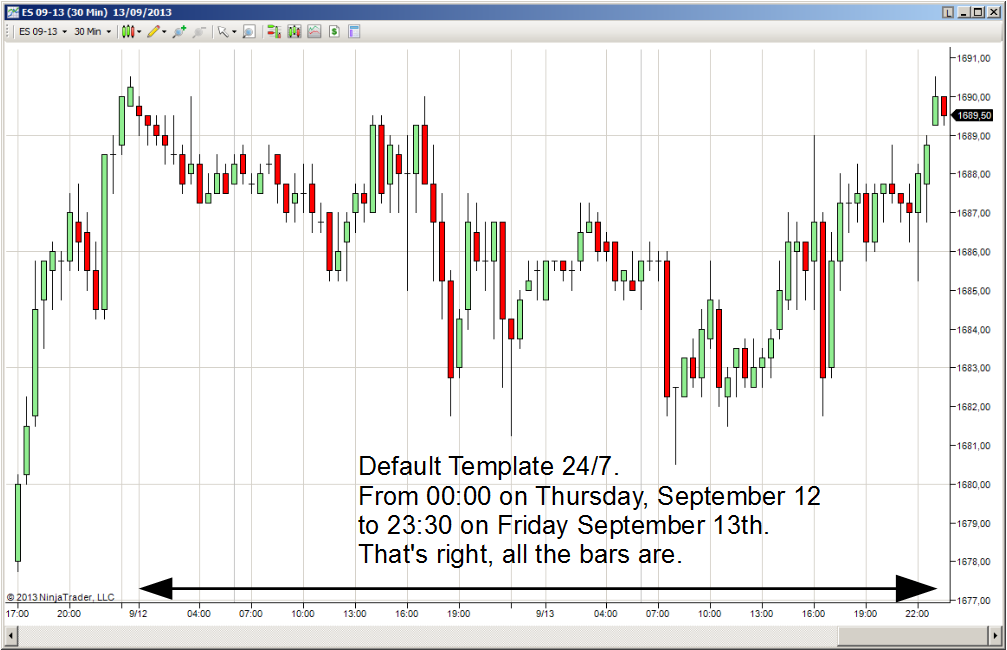
    In the image Chart with DefaultTemplate247.png are all the bars. It's ok.

    However when I apply the custom template, some bars are missing.
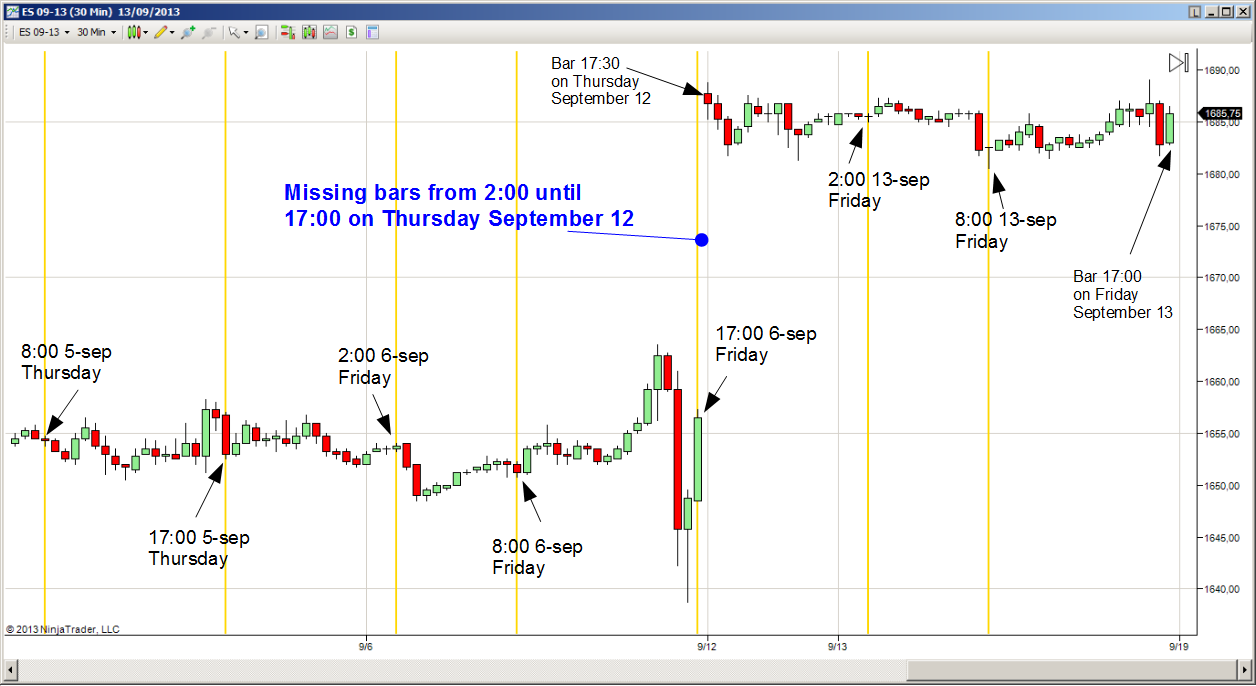

    What is the reason for this error ?

    Thanks
    Attached Files

    #2
    Hello cls71,

    Could you let me know what TimeZone do you have your Local PC Clock set to?
    JCNinjaTrader Customer Service

    Comment


      #3
      GMT+1 (Madrid, Spain)

      Comment


        #4
        Hello cls71,

        Thanks for your reply.

        I have tested and verified this template to properly work on my end.
        Please exit NinjaTrader and open the following directory in Windows
        (My) Documents\NinjaTrader 7\db\cache
        Delete the contents within this folder
        Restart NinjaTrader and open a new chart, selecting your custom session template
        Right click on the chart and select Reload All Historical Data

        If this does not work please send your Database file into support so that I may look into this further.
        To do this go to Help> Mail to support
        Ensure Database File is checked
        In the message put ATTN Brandon and include a link to this forum topic.

        Comment


          #5
          Hello Brandom,

          sorry, but doesn't work.

          I have sent you an email according to your instructions.

          Thanks

          Comment


            #6
            Hello cls71,

            I have not yet received the file.
            You may need to send the file using the following website.
            The simple, quick and secure way to send your files around the world without an account. Share your files, photos, and videos today for free.

            You can locate the database under (My) Documents> NinjaTrader 7> db
            The file will be named ninjatrader.sdf

            Using the above website please send this to support[at]ninjatrader[dot]com
            Putt ATTN Brandon in the message and include a link to this forum topic

            Comment

            Latest Posts

            Collapse

            Topics Statistics Last Post
            Started by CarlTrading, 03-31-2026, 09:41 PM
            1 response
            68 views
            0 likes
            Last Post NinjaTrader_ChelseaB  
            Started by CarlTrading, 04-01-2026, 02:41 AM
            0 responses
            39 views
            0 likes
            Last Post CarlTrading  
            Started by CaptainJack, 03-31-2026, 11:44 PM
            0 responses
            63 views
            1 like
            Last Post CaptainJack  
            Started by CarlTrading, 03-30-2026, 11:51 AM
            0 responses
            62 views
            0 likes
            Last Post CarlTrading  
            Started by CarlTrading, 03-30-2026, 11:48 AM
            0 responses
            53 views
            0 likes
            Last Post CarlTrading  
            Working...
            X