
Announcement

Collapse
No announcement yet.

Partner 728x90

Collapse

To make a standard Fib setting as part of script

Collapse
X
 
  • Filter
  • Time
  • Show
Clear All
new posts

    Hello trdninstyle,

    Unfortunately, not when using CandleOutlineBrush.

    You would need to custom render the candles if you wanted something like that.
    The HeikenAshi indicator custom renders candles if you want to take a look.
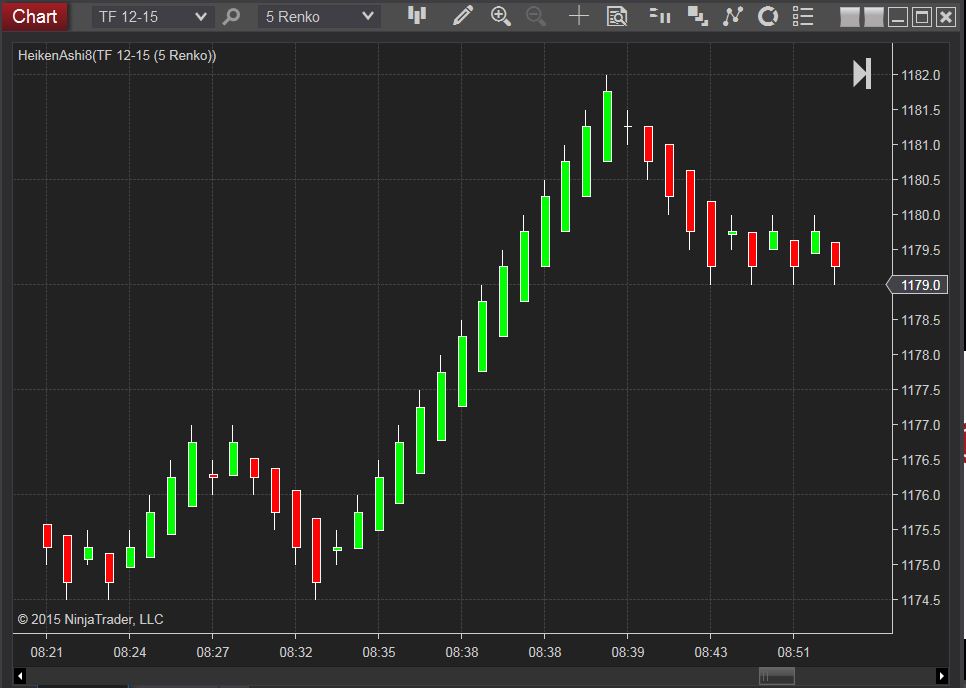
    HeikenAshi technique discussed in the article ‘Using Heiken-Ashi Technique’ in February 2004 issue of TASC magazine. NinjaTrader 8 natively provides Heiken Ashi as a bar type for most common bar types (minute, tick, volume, second, day, week, month, year). This Heiken Ashi indicator is provided for the Range, Renko and any custom bar types that […]
    Chelsea B.NinjaTrader Customer Service

    Comment


      That is something that NT could also consider making accessible, as people would utilize that additional option.

      I was also able to make as an additional option to outline their channel along with color it as originally. I just nested that logic block to make that work and added those values. Because sometimes the next channel type overlays that prior one showing just the 1st candle of the first channel. That way you can understand how the channel is evolving.

      Click image for larger version  Name:	2024-12-20 12_22_44-NinjaScript Editor - Strategy - Channels.png Views:	0 Size:	14.7 KB ID:	1328721
      After I finish with this indicator, I will go through one of the educational resources provided and, instead of merely reading through them, I intend to type them out in a newly created strategy document. This way, I can better understand the material by actively engaging with it.
      Last edited by trdninstyle; 12-20-2024, 12:40 PM.

      Comment


        Thank you for post 106. I want to uncover that.

        What I'm doing in this pic I did it manually but oft times a channel can start out strong (indicated by color) and then become weaker, showing that color.
        I can manually outline the color for the stronger channel, allowing me to see the first three bars, when the weaker channel covers the last two bars with its identifying color.

        I created options to color bars, outline bars separately, or do both.

        Can you show me how I can, if one overlaps the other to use the logic block that outlines the bars? For the underlying channel.

        Click image for larger version  Name:	2024-12-23 09_50_16-2024_12_23_09_23_56_Chart_5m_ETH.png.png Views:	0 Size:	15.9 KB ID:	1328939
        Last edited by trdninstyle; 12-23-2024, 09:25 AM.

        Comment


          Hello trdninstyle,

          I cannot provide custom logic, but you can use the original outline color.

          ChartBars.Properties.ChartStyle.Stroke.Brush
          ChartBars.Properties.ChartStyle.Stroke2.Brush

          Chelsea B.NinjaTrader Customer Service

          Comment


            I was thinking of using if else if statements nested within the logic.

            Starting off with a strong channel condition then if next channel becomes a weaker channel after the first bar, CandleOutlineBrushes .

            Could I use if and else if conditions?

            Comment


              Hello trdninstyle,

              You can use branching commands in OnBarUpdate().
              Chelsea B.NinjaTrader Customer Service

              Comment


                It's fairly simple isn't it, just have to know what pieces go where.

                Would the top half of my screenshot be correct? The logic at the bottom section of my screenshot, I don't know what I could put there to communicate to the if (WeakerChannel == true).

                Click image for larger version

Name:	2024-12-23 13_38_30-2024_12_23_13_34_47_Chart_5m_ETH.png.png
Views:	56
Size:	76.7 KB
ID:	1328983

                Comment


                  Hello trdninstyle,

                  A basic understanding of C# programming is prerequisite to writing NinjaScript code.

                  Below is a link to a support article with helpful resources on getting started with C# and NinjaScript.


                  The logic you would have to design.

                  Add a bool variable and set the value in a branching command where the conditions for "weaker channel" is true.
                  Then compare the variable in your branching command.
                  Chelsea B.NinjaTrader Customer Service

                  Comment


                    "Add a bool variable and set the value in a branching command where the conditions for "weaker channel" is true."

                    Just like I did with the Fibs.

                    "Then compare the variable in your branching command."

                    I think what you mean here. I need to have set to false until it is true.

                    Do I need to add a private value ?

                    Comment


                      Hello trdninstyle,

                      Yes, the variable would be in the scope of the class and using the private access modifier.
                      Chelsea B.NinjaTrader Customer Service

                      Comment


                        Do you guys cut out early today?

                        This isn't exactly right, but could you get me a little closer? Do I have the right pieces just not putting them into the right places? Or I'm missing something in the first logic block? The first command branch is the weaker set up.

                        Click image for larger version

Name:	2024-12-24 11_35_21-2024_12_24_11_34_25_Chart_5m_ETH.png.png
Views:	65
Size:	54.2 KB
ID:	1329073 Click image for larger version

Name:	2024-12-24 11_38_08-2024_12_24_11_37_00_Chart_5m_ETH.png.png
Views:	60
Size:	43.5 KB
ID:	1329074
                        Click image for larger version

Name:	2024-12-24 11_39_50-2024_12_24_11_38_50_Chart_5m_ETH.png.png
Views:	58
Size:	48.0 KB
ID:	1329075

                        Comment


                          Hello trdninstyle,

                          private variables should have an initial value set in State.DataLoaded.

                          Please provide output from debugging prints of all values compared in the condition.

                          At what date and time is a value unexpected?
                          What is the expected value?
                          When and where was that value assigned?
                          Chelsea B.NinjaTrader Customer Service

                          Comment


                            When and where was that value assigned?
                            It would be assigned to when one condition overlays another one.

                            What is the expected value?
                            Would be the first condition after a strong or a weak channel first occurs then the opposite condition occurs right afterwards, that is, strong to weak or weak to strong, same direction, right on top of the other adding another bar.

                            I put the private variable in the State.DataLoaded instead of the State.Configure.

                            And I added weakerChannel = true; in this logic block, I remember that.

                            Click image for larger version

Name:	2024-12-24 12_23_38-NinjaScript Editor - Strategy - NestedChannels_.png
Views:	52
Size:	6.2 KB
ID:	1329078 Click image for larger version

Name:	2024-12-24 12_24_58-2024_12_24_12_24_09_Chart_5m_ETH.png.png
Views:	60
Size:	47.3 KB
ID:	1329079

                            ​

                            Comment


                              Hello trdninstyle,

                              Below is a link to a support article on making an informative print.


                              The print should be one line above the branching command being investigated and should include all values compared in the branching command with labels for each value and comparison operator.

                              Save the output to a text file and include this with your reply.
                              Chelsea B.NinjaTrader Customer Service

                              Comment


                                Do I include all of the values as in the bars like open > close Close[0] >= High[1] but just the one's that explain the instances?

                                Here's this screenshot: Type in everything that applies in this case? That I want it to do.
                                Along w/ the time stamps.

                                Click image for larger version

Name:	2024-12-24 13_17_38-Chart - 5m ETH.png
Views:	50
Size:	3.7 KB
ID:	1329086

                                Print(string.Format("{0} | condition true", Time[0], Close[2]>Open[2] && Close[1] > Open[1] && Close[0] > Open[0] && Close[2]>High[3] && Close[1]>High[2]&& Close[0]>High[1] ));

                                But type it describing the pic above starting with the first DarkGreen candle to those 3 white candles then those nxt green candles. So include specific scenarios? In the print.

                                If this is what I do then I'm starting to get it.

                                Comment

                                Latest Posts

                                Collapse

                                Topics Statistics Last Post
                                Started by NullPointStrategies, Yesterday, 05:17 AM
                                0 responses
                                71 views
                                0 likes
                                Last Post NullPointStrategies  
                                Started by argusthome, 03-08-2026, 10:06 AM
                                0 responses
                                143 views
                                0 likes
                                Last Post argusthome  
                                Started by NabilKhattabi, 03-06-2026, 11:18 AM
                                0 responses
                                76 views
                                0 likes
                                Last Post NabilKhattabi  
                                Started by Deep42, 03-06-2026, 12:28 AM
                                0 responses
                                47 views
                                0 likes
                                Last Post Deep42
                                by Deep42
                                 
                                Started by TheRealMorford, 03-05-2026, 06:15 PM
                                0 responses
                                51 views
                                0 likes
                                Last Post TheRealMorford  
                                Working...
                                X