Announcement

Collapse
No announcement yet.

Partner 728x90

Collapse

How can a strategy monitor ATM strategy order updates on Apex accounts?

Collapse
X
 
  • Filter
  • Time
  • Show
Clear All
new posts

    How can a strategy monitor ATM strategy order updates on Apex accounts?

    Hi,

    I have a strategy which uses ATM strategies for automatic trading. This is to make order execution features like multiple positions with different configurable stops and targets, and manual interventions possible. To improve the tracking (especially for rejected stops), the strategy uses AtmStrategy.StartAtmStrategy(...) instead of the methods documented here:
    https://ninjatrader.com/support/helpGuides/nt8/NT%20HelpGuide%20English.html?atm_strategy_methods .htm

    To keep track of the order state (knowing when an order was "finished" - filled stops and/or targets, rejection handling, etc.), the strategy uses Account.OnOrderUpdate(...). This works both for sim accounts and NinjaTrader accounts.

    But when testing the strategy with an Apex Tradovate account, Account.OnOrderUpdate(...) is only called once (for the state transition to Initialized for the entry order​). After that, OnOrderUpdate(...) is never called, even when manually closing the position.​

    So something seems differently implemented in those "external" accounts / connections. This breaks the strategy - it doesn't know when a position is flat, and the next trade can be executed.

    Because the strategy uses ATM orders, the Apex / Rithmic account examples don't apply - they use the simple Enter/Exit-Long/Short(), or SubmitOrderUnmanaged(...). As documented, the Strategy.OnOrderUpdate(...) doesn't work when using ATM strategies, so I'm stuck - I really want to avoid calling GetAtmStrategyEntryOrderStatus()​ and then GetAtmStrategyStopTargetOrderStatus()​ on each OnBarUpdate() instead of the event based approach.

    Is here an alternate way to keep track of the order state?

    Best regards, Felix
    Last edited by Felix Reichert; 04-26-2024, 02:44 PM.

    #2
    The linked Atm Strategy Methods have the disadvantage that you have to "poll" the order state all the time:
    If I use AtmStrategyCreate()​, I have to call GetAtmStrategyEntryOrderStatus()​ and GetAtmStrategyStopTargetOrderStatus()​ in each OnBarUpdate(), since they are not events.
    Before I rewrite all of the order management logic, I would like to know if the polling of the order state causes any traffic to the market place, or runs only locally, and if there is a more efficient way than calling GetAtmStrategyStopTargetOrderStatus()​ on each OnBarUpdate()​? Also in previous testing I had the impression that the data returned by GetAtmStrategyStopTargetOrderStatus()​ is wrong if one of the stops was rejected by the market place.
    The inadequate handling of rejected stops in NinjaTrader (at least for ATM orders) is the main reason for the complex order "house-keeping" in the strategy. I will probably create another post for that.

    Like I wrote in my initial post, I already use the account level OrderUpdate events, but they only fire once for each order (when entry order is Initialized), if I'm not using the sim account.
    So NinjaTrader behaves completely different for sim vs. "real" accounts. After testing with other accounts (for example the NinjaTrader brokerage CQG account), I could reproduce the same problem (not further calls to account level OrderUpdate).

    The event handler for Account.OrderUpdate() is added in OnStateChange() when State == State.DataLoaded.
    For each call, the current OrderUpdate() event handler updates a structure containing suborder data (filled quantity and order state) for entry / stops / targets, and this data is correlated by using e.Order.GetOwnerStrategy(), and the orderId of the entry order, which the strategy created itself using Account.CreateOrder(). Like mentioned, this Account.OrderUpdate() is only called once, so the strategy thinks that the order is not even submitted yet. Because the strategy permits managing multiple orders of multiple signals in parallel (automatic, "half-automatic" and manual), correlating the order updates to the created ones is essential.

    Comment


      #3
      Hi Brandon,

      Thanks for your fast answer - it's good to know that repeatedly calling GetAtmStrategyStopTargetOrderStatus() doesn't have a negative impact on the connection to the market place. If I can't get Account.OrderUpdate events firing reliably, I will try this approach, this is however a bigger change which I would like to avoid.

      I know that ATM strategies are executed "outside" of the strategy scope, and therefore my strategy relies on on Account level OrderUpdate events instead of Strategy.OnOrderUpdate(). However this event is only fired once when NOT using the sim account, which is my problem.

      Is there any setting or similar which fixes this? How can I diagnose what the problem is?
      When putting a breakpoint in Visual Studio (or just printing info to the output) in the event handler, I can verify that it is only called once, so it's not a problem of correlating IDs, or calling GetOwnerStrategy() incorrectly. I will try the ATMStrategyIdentifier example tomorrow with a non-sim account to see if it works or not - the approach is very similar to my order management code.

      Best regards, Felix
      Last edited by Felix Reichert; 05-01-2024, 03:28 PM.

      Comment


        #4
        When printing the order info in the Account.OrderUpdate handler, only one line is generated when using an Apex account (when the entry order is Initialized).
        I will create a minimal sample so that you can reproduce the problem, thanks for your assistance!

        Comment


          #5
          Nevermind, I found the problem: To be able associating the order update events with known newly created orders, the strategy used the OrderId of the entry order. For some strange reason, this OrderId changes when the account is not the Sim101 account, or the connection is not playback. I now have a check whether the strategy runs with a "real" account / connection, or for testing, and use either the entryOrder.OrderId, or the AtmStrategy.Id as key to find the known orders. When the IDs didn't match, the rest of the handler wasn't executed => it seemingly wasn't called.

          I would have liked to always use the AtmStrategy.Id, but in playback, the creation of the ATM strategy only returns the created ATM strategy instance after all stops and targets are submitted - if some of them are rejected, the order update handler would not be able to detect this and react.

          Some sample output with an Apex account showing that the entry OrderId changed from 57bb45c1fa214a519102cd348487eaec ​to 51607770668 :

          OnOrderUpdate() Time: 19:42:21.227 OrderName: Entry OrderID: 57bb45c1fa214a519102cd348487eaec Order.ID: 974 OrderState: Initialized Filled: 0 ATM strategy ID: (null) OrderData NOT found
          OnOrderUpdate() Time: 19:42:21.227 OrderName: Entry OrderID: 57bb45c1fa214a519102cd348487eaec Order.ID: 974 OrderState: Initialized Filled: 0 ATM strategy ID: 326056079 OrderData NOT found
          ATM order created, entryOrder.OrderId: 57bb45c1fa214a519102cd348487eaec entryOrder.Id: 974ATM strategy ID: 326056079
          OnOrderUpdate() Time: 19:42:21.324 OrderName: Entry OrderID: 51607770668 Order.ID: 974 OrderState: Submitted Filled: 0 ATM strategy ID: 326056079 OrderData NOT found
          OnOrderUpdate() Time: 19:42:21.326 OrderName: Entry OrderID: 51607770668 Order.ID: 974 OrderState: Accepted Filled: 0 ATM strategy ID: 326056079 OrderData NOT found
          OnOrderUpdate() Time: 19:42:21.326 OrderName: Entry OrderID: 51607770668 Order.ID: 974 OrderState: Working Filled: 0 ATM strategy ID: 326056079 OrderData NOT found
          OnOrderUpdate() Time: 19:42:21.325 OrderName: Entry OrderID: 51607770668 Order.ID: 974 OrderState: Filled Filled: 1 ATM strategy ID: 326056079 OrderData NOT found
          OnOrderUpdate() Time: 19:42:21.456 OrderName: Stop1 OrderID: 3196700a08c74298b87902b03bdef055 Order.ID: 975 OrderState: Initialized Filled: 0 ATM strategy ID: 326056079 OrderData NOT found
          OnOrderUpdate() Time: 19:42:21.464 OrderName: Target1 OrderID: 00884a04f8604150a30afdf8f5da8476 Order.ID: 976 OrderState: Initialized Filled: 0 ATM strategy ID: 326056079 OrderData NOT found
          OnOrderUpdate() Time: 19:42:21.531 OrderName: Stop1 OrderID: 51607770674 Order.ID: 975 OrderState: Submitted Filled: 0 ATM strategy ID: 326056079 OrderData NOT found
          OnOrderUpdate() Time: 19:42:21.533 OrderName: Stop1 OrderID: 51607770674 Order.ID: 975 OrderState: Accepted Filled: 0 ATM strategy ID: 326056079 OrderData NOT found
          OnOrderUpdate() Time: 19:42:21.533 OrderName: Stop1 OrderID: 51607770674 Order.ID: 975 OrderState: Working Filled: 0 ATM strategy ID: 326056079 OrderData NOT found
          OnOrderUpdate() Time: 19:42:21.551 OrderName: Target1 OrderID: 51607770677 Order.ID: 976 OrderState: Submitted Filled: 0 ATM strategy ID: 326056079 OrderData NOT found
          OnOrderUpdate() Time: 19:42:21.553 OrderName: Target1 OrderID: 51607770677 Order.ID: 976 OrderState: Accepted Filled: 0 ATM strategy ID: 326056079 OrderData NOT found
          OnOrderUpdate() Time: 19:42:21.553 OrderName: Target1 OrderID: 51607770677 Order.ID: 976 OrderState: Working Filled: 0 ATM strategy ID: 326056079 OrderData NOT found​

          Comment


            #6
            Hi Brandon,

            Thank you for your further tips, I will consider changing to the unmanaged approach. What really slows down the development are the many subtle differences between playback / sim101 and real account behavior - not only the placeholder IDs (which is new and unexpected to me thanks for the clarification!), but also some strange things in playback, like entry orders being Partially Filled, then Cancelled by the strategy, and after that unexpectedly Filled. I would expect that an order in terminal state (Cancelled) can't change it's state anymore.

            Is there a way to test the unmanaged approach with more realistic behavior than the playback connection and / or the sim101 account, but without paying for each transaction? The funded accounts like Apex will also cost money if too many trades go into the wrong direction (which is normal when testing and debugging).

            Best regards, Felix

            Comment


              #7
              Hello Felix,

              You are using the addon approach to send orders with atm strategies attached using AtmStrategy.StartAtmStrategy() in this script, is this correct?


              This example demonstrates using the addon approach to send atm orders. This approach could also be used in an indicator and handling all behavior through the account updates. If you are using the addon approach with the account, no need for this to be a strategy at all.


              Below is a link to an indicator in the User App Share that gets information about atm strategy orders you may also find very helpful.
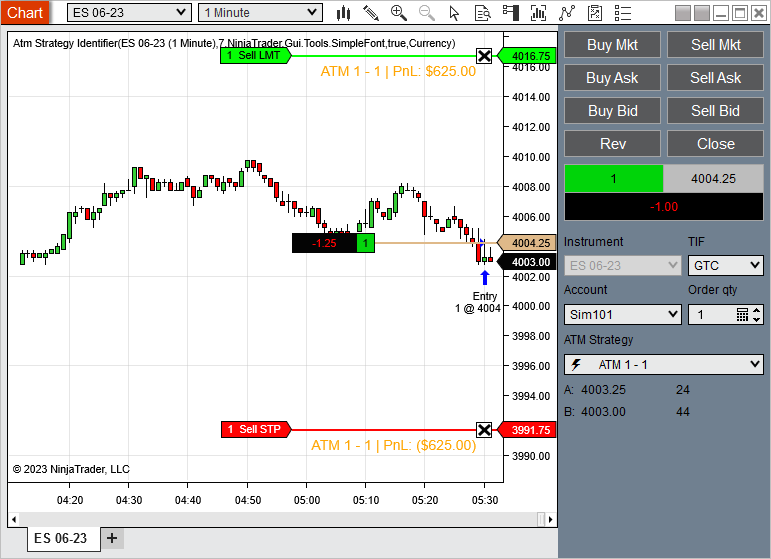
              This indicator serves to provide labels for Atm strategies that are present on your chart. Each new Atm strategy will rotate through the colors defined in your Brush Collection. Simply add to a chart, select the data series you want to have labels added to, choose your font and add all the brushes/colors you want […]


              "but also some strange things in playback, like entry orders being Partially Filled, then Cancelled by the strategy, and after that unexpectedly Filled. I would expect that an order in terminal state (Cancelled) can't change it's state anymore."​

              I'm understanding you have event handlers added to the <Account>.OrderUpdate / <Account>.ExecutionUpdate events, is this correct?


              From the <Account>.OrderUpdate event, are you printing the e.Order.ToString() at the top of the event handler method (before any conditions) and getting information about each order?
              Same with the e.Execution.ToString() with the <Account>.ExecutionUpdate event handler?

              If so, can you provide the output from this so that we can help analyze what is going on?


              Chelsea B.NinjaTrader Customer Service

              Comment


                #8
                Hi Brandon,

                AtmStrategy.StartAtmStrategy() - yes, I use the Addons approach, and it works fine. Also, after changing the ID for orders from the OrderId of the entry order to the strategy.Id (but just for "real" accounts - not for playback or sim101), my order management works fine, thanks!

                Unfortunately, I don't have the logs anymore for the partially filled orders in playback, but I can create a new forum topic as soon as I can reproduce it.
                From what I remember, the sequence is:

                1. Entry.OrderState == PartFilled
                2. Stop1.OrderState == Rejected
                3. (strategy cancels all non-terminal suborders, including the entry order, and "sells" all positions from the partial entry order. e.g. 2 of 3)
                4. ​Entry.OrderState == CancelPending
                5. ​Entry.OrderState == Cancelled
                6. ​Entry.OrderState == Filled

                That last fill means that now there is an imbalance (account not flat anymore), since the strategy sold less positions in step 3 than the whole filled entry order. I also had the impression (not verified) that this doesn't happen in all cases, so a workaround just for the playback connection gets more complicated.

                Which leads back to my question: Is there a way to test (without wasting money) with more realistic behavior than the playback connection? Like having a "market place simulator" running locally?
                The documentation even mentions that the partial fills are sometimes inserted to force developers to make their strategies more robust. But I think that a real market place would not fill an entry which it cancelled before.

                Best regards, Felix
                Last edited by Felix Reichert; 05-03-2024, 04:09 PM.

                Comment


                  #9
                  Hello Felix,

                  You can test on the Sim101 account built-in to NinjaTrader, but if you want the account to behave like your broker, you will need to contact your broker and inquire if you can get a demo account to test on.
                  Chelsea B.NinjaTrader Customer Service

                  Comment

                  Latest Posts

                  Collapse

                  Topics Statistics Last Post
                  Started by NullPointStrategies, Today, 05:17 AM
                  0 responses
                  53 views
                  0 likes
                  Last Post NullPointStrategies  
                  Started by argusthome, 03-08-2026, 10:06 AM
                  0 responses
                  130 views
                  0 likes
                  Last Post argusthome  
                  Started by NabilKhattabi, 03-06-2026, 11:18 AM
                  0 responses
                  70 views
                  0 likes
                  Last Post NabilKhattabi  
                  Started by Deep42, 03-06-2026, 12:28 AM
                  0 responses
                  44 views
                  0 likes
                  Last Post Deep42
                  by Deep42
                   
                  Started by TheRealMorford, 03-05-2026, 06:15 PM
                  0 responses
                  49 views
                  0 likes
                  Last Post TheRealMorford  
                  Working...
                  X