
Since, I get the strategy to upload, how I can I debug to see what's causing the error message?
Announcement
Collapse
No announcement yet.
Partner 728x90
Collapse
NinjaTrader
Index was outside the bounds of the array
Collapse
X
-
Index was outside the bounds of the array
When I put a new instance of the strategy on the chart, I get Error on calling 'OnBarUpdat' method on bar 343: Index was outside the bounds of the array:
Since, I get the strategy to upload, how I can I debug to see what's causing the error message?Tags: None
-
Hello AdeptistJune,
Thanks for your post.
"Error on calling 'OnBarUpdate' method on bar 343: Index was outside the bounds of the array"
This message indicates an invalid index was used in your script.
As one example, calling Close[1] when CurrentBar is 0 (the very first bar) will cause this error. The reason for this is because there will not be a bar ago; essentially there is not enough data at bar 0 look back one bar. The script will start from the far left of the chart at the very beginning where the CurrentBar will equal 0 and then start working to the right, calling OnBarUpdate() for each bar.
In this specific example, it would be needed to wait for the second bar to be built (from all series if there are multiple series added), to ensure that you have enough data to call a index 1 bar ago.
This is especially important when multiple series are added to a single script as the data for all series may not start at the same time.
Below is a link to the help guide on this specific example of an indexing error.
https://ninjatrader.com/support/help...nough_bars.htm
Also, below are links to the help guide on CurrentBar and CurrentBars.
http://ninjatrader.com/support/helpG...currentbar.htm
https://ninjatrader.com/support/help...urrentbars.htm
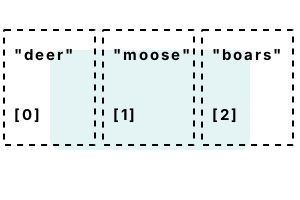
Indexing errors can also occur when using an invalid index with arrays or collections. Below are public links to 3rd party educational sites on arrays and index out-of-range errors.
What was the exact index you tried to use that was invalid?
Did you ensure the Count of that object is equal to or greater than the index used?
In the script, add prints that print the values of every index being used along with the time (Time[0]) of that bar. Prints will appear in the NinjaScript Output window (New > NinjaScript Output window).
Below is a link to a forum post that demonstrates how to use prints to understand behavior and debug a script.
https://ninjatrader.com/support/foru...121#post791121
Let us know if we may assist further.Last edited by NinjaTrader_BrandonH; 06-01-2022, 08:01 AM.<span class="name">Brandon H.</span><span class="title">NinjaTrader Customer Service</span><iframe name="sig" id="sigFrame" src="/support/forum/core/clientscript/Signature/signature.php" frameborder="0" border="0" cellspacing="0" style="border-style: none;width: 100%; height: 120px;"></iframe>
Comment
-
AdeptistJune If you are seeing the error when trying to access Bars data, you should also consider using BarsRequiredToTrade: https://ninjatrader.com/support/help...redtotrade.htm
At its simplest, you need only include this as the first line in OnBarUpdate: if (CurrentBar < BarsRequiredToTrade) return;
Thanks.
Comment
-
Latest Posts
Collapse
| Topics | Statistics | Last Post | ||
|---|---|---|---|---|
|
Started by NullPointStrategies, Yesterday, 05:17 AM
|
0 responses
54 views
0 likes
|
Last Post
|
||
|
Started by argusthome, 03-08-2026, 10:06 AM
|
0 responses
130 views
0 likes
|
Last Post
by argusthome
03-08-2026, 10:06 AM
|
||
|
Started by NabilKhattabi, 03-06-2026, 11:18 AM
|
0 responses
70 views
0 likes
|
Last Post
|
||
|
Started by Deep42, 03-06-2026, 12:28 AM
|
0 responses
44 views
0 likes
|
Last Post
by Deep42
03-06-2026, 12:28 AM
|
||
|
Started by TheRealMorford, 03-05-2026, 06:15 PM
|
0 responses
49 views
0 likes
|
Last Post
|

Comment