hello, is it possible to take a daily profit by determining the amount? I searched on strategy building software but I couldn't find a session output command or daily pnl total. What do you advise? Thank you
-
Hello 270027,
Yes, this is possible.
Below is a link to an example that is a daily loss limit, but the same concept could be used for a daily profit limit.
Chelsea B.NinjaTrader Customer Service -
Hello 270027,
Unfortunately, no. Only scripts created with the Strategy Builder that have not been unlocked can be opened in the Strategy Builder.
The custom logic in these scripts means they cannot be created with the Strategy Builder.Chelsea B.NinjaTrader Customer ServiceComment
-
Hello 270027,
If the strategy is running with Calculate.OnPriceChange, it would exit and stop taking new entries intra-bar.
In historical, TickReplay and intra-bar granularity would be necessary.
Chelsea B.NinjaTrader Customer ServiceComment
-
Hello 270027,
With:
(DailyPNL > DailyLoss)
&& (DailyPNL < DailyTP)
You are trying to trigger an action when the DailyPNL is greater than the DailyLoss and also less than the DailyTP as well correct?
Print the time, the DailyPNL, the DailyLoss, and the DailyTP to the output window. Include the output saved to a text file with your reply.
Chelsea B.NinjaTrader Customer ServiceComment
-
Hello 270027,
Yes, you can call Print() from indicators and strategies at any time. You can also call Code.Output.Process() in addons at any time. Think of this as Console.WriteLine() but for NinjaScripts.
You can right-click the output window and select save as to save the output to a text file. Click upload attachments to attach a text file to your post.

You could copy and paste the text back in your post instead, but this makes for long posts that obscure your actual messages. The choice is up to you.
The output is how to diagnose issues. Without looking at how the code is processing, there isn't the ability to understand why the mechanism is working as it is.
My advice would be to take the time to learn C#, how to get output, and how to use the NinjaTrader Platform before tackling any complex project. C# is a big world with a lot of possibilities and a lot to learn. Don't rush through things and actually set aside some time to learn about what you are doing. In the long run, what you create will have a solid foundation.Last edited by NinjaTrader_ChelseaB; 12-28-2021, 01:05 PM.Chelsea B.NinjaTrader Customer ServiceComment
-
hello, I think I made myself misunderstood. since the strategy analysis tool can we record? I put you a link attached what happens when I press the runOriginally posted by NinjaTrader_ChelseaB View Post
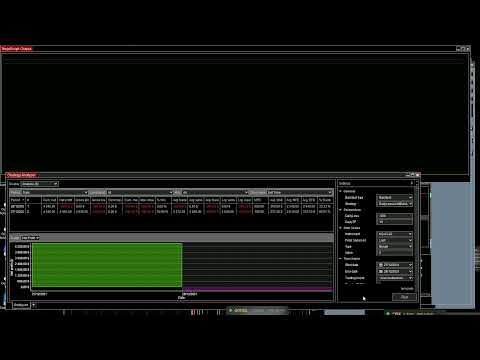
Thank'sComment
-
Hello 270027,
Are you calling ClearOuputWindow() in any of your custom scripts?
I am not able to reproduce on my end.Chelsea B.NinjaTrader Customer ServiceComment
| Topics | Statistics | Last Post | ||
|---|---|---|---|---|
|
0 responses
15 views
0 likes
|

by kinfxhk
07-14-2026, 09:39 AM
|
|||
|
0 responses
59 views
0 likes
|
by kinfxhk
07-13-2026, 10:18 AM
|
|||
|
0 responses
42 views
0 likes
|
by kinfxhk
07-13-2026, 09:50 AM
|
|||
|
0 responses
47 views
0 likes
|
by kinfxhk
07-13-2026, 07:21 AM
|
|||
|
0 responses
38 views
0 likes
|
by kinfxhk
07-11-2026, 02:11 AM
|
Comment