
Announcement

Collapse
No announcement yet.

Partner 728x90

Collapse

IsUnmanaged = true. GetRealtimeOrder(stopLoss);

Collapse
X
 
  • Filter
  • Time
  • Show
Clear All
new posts

    IsUnmanaged = true. GetRealtimeOrder(stopLoss);

    IsUnmanaged = true.

    Should we transfer a historical stopLoss order into a real time order?
    My question is related to the fact that when trying to call the function "GetRealtimeOrder()" it returns null and I cannot access the order. If I do not call "GetRealtimeOrder()", then in real time I cannot modify this order with the "ChangeOrder" function.

    #2
    Hi webus, thanks for posting.

    If this returns null it means it could not find a matching order for the historical order reference (the order does not exist, the strategy did not make the order, or the order state is Filled, Canceled, Rejected, or Unknown). We have a managed example here that uses the method to transition the historical order references to the real time, live orders:


    Kind regards,
    -ChrisL

    Comment


      #3
      Hi NinjaTrader_ChrisL,

      Originally posted by NinjaTrader_ChrisL View Post
      Hi webus, thanks for posting.

      If this returns null it means it could not find a matching order for the historical order reference (the order does not exist, the strategy did not make the order, or the order state is Filled, Canceled, Rejected, or Unknown). We have a managed example here that uses the method to transition the historical order references to the real time, live orders:
      https://ninjatrader.com/support/help...r_handling.htm

      Kind regards,
      -ChrisL
      I do it in the same way as in the example. Please take a look at the attached Sample. This is a simple sample. Please do the same test.

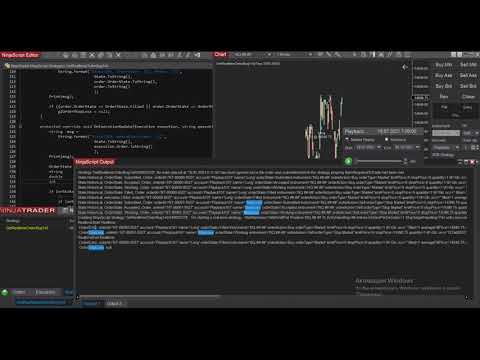
      a. The first test is "GetRealtimeOrder()" for StopLoss order. Please take a look at the video:
      .
      As you can see, the StopLoss state was "Working", but after the Strategy aplied the GetRealtimeOrder() on this StopLoss order - the StopLoss order became "null".

      Question:
      Why the StopLoss is null? Am I missing something?


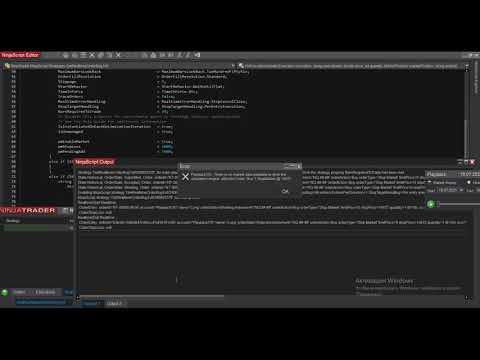
      b. The second test is "GetRealtimeOrder()" for pending entry order. Please take a look at the video:
      .
      As you can see, the entry order was transfered correctly.

      Question1:
      Why the StopLoss is null but the EntryOrder was OK? Am I missing something?

      Question2:
      Why in the case with entry order I saw the error "there is no market data"?
      Attached Files

      Comment


        #4
        Hi webus, thanks for your reply.

        One thing in your script is your OCO string for the stop loss is a GUID string generated at the time the stop is submitted. The entry order is not using this same OCO string so there is no OCO association. Everything else looks OK to me. Please change this and test it out.

        Kind regards,
        -ChrisL

        Comment


          #5
          Hi NinjaTrader_ChrisL,

          1.
          One thing in your script is your OCO string for the stop loss is a GUID string generated at the time the stop is submitted. The entry order is not using this same OCO string so there is no OCO association. Everything else looks OK to me. Please change this and test it out.
          Sorry, but I do not understand you. Are you offering me to set the same OCO in EntryOrder and StopLoss orders? Does this make sense? StopLoss is placed when an EntryOrder becomes a market position. They cannot (and should not!) be linked by an OCO number. The OCO is needed to link a StopLoss order with a TakeProfit order (for example). Am I missing something?


          2. In any way, my questions are:
          - why the StopLoss order (State = Working) became "null" after the Strategy aplied "GetRealtimeOrder()" function? (the "NT8 bug: GetRealtimeOrder SL is null" video).
          - why the EntryOrder (State = Working) became a realtime order after the Strategy aplied "GetRealtimeOrder()" function? What the difference between these two cases? (the "NT8 bug: GetRealtimeOrder Entry is OK" video).
          - why in the case with entry order I saw the error "there is no market data"?

          Could you please answer me on these three questions?


          3. I do not think that this is related to OCO id. I think you confused something. Please take a moment to look at my examples in more detail. I have isolated the problem as a separate example and have provided you with the code and video of two tests.

          Please also take a look what the OCO is:
          "OCO Orders (One Cancels Other)
          One Cancels Other functionality ties two resting order together, so that when one is canceled or filled, the other will be canceled automatically. "
          "All orders placed while OCO is enabled will be part of the same OCO group. Once any order of this group is filled or cancelled, all other orders that belong to this group will be cancelled. "
          "A string representing the OCO ID used to link OCO orders together"
          "Unique strings for each OCO group, and reset after orders in that group are filled/canceled"

          Last edited by webus; 10-12-2021, 07:45 AM.

          Comment


            #6
            Hi webus,

            The playback chart looks to be missing historical data, so 1. the "No Market Data Available" error means you are not hitting the real time state and there is no real time data for the strategy to use. 2 you are starting the strategy at the very beginning of your playback data. Test it out after the strategy has been enabled and submitted an order on the real time data. After it has test the GetRealTimeOrder method.

            Best regards,
            -ChrisL

            Comment


              #7
              Hi NinjaTrader_ChrisL,

              1. Unfortunately, like all my communication with NT8 support, it is very tedious and unproductive. Is it a big deal to answer on all three questions?
              q1: why the StopLoss order (State = Working) became "null" after the Strategy aplied "GetRealtimeOrder()" function? (the "NT8 bug: GetRealtimeOrder SL is null" video).
              q2: why the EntryOrder (State = Working) became a realtime order after the Strategy aplied "GetRealtimeOrder()" function? What the difference between these two cases? (the "NT8 bug: GetRealtimeOrder Entry is OK" video).
              q3: why in the case with entry order I saw the error "there is no market data"? (let's leave it for now);


              2.
              you are starting the strategy at the very beginning of your playback data. Test it out after the strategy has been enabled and submitted an order on the real time data. After it has test the GetRealTimeOrder method.
              Does it bother you that one order (entry order) has become a real-time order, and the second (stopLoss order) has become a NULL order and I will no longer be able to use it (since it is NULL)? Why did it happen? Have you tried running my code (these two tests) on your side? I think this is an NT8 bug.


              3.
              Test it out after the strategy has been enabled and submitted an order on the real time data. After it has test the GetRealTimeOrder method.
              OK, one more test. Please take a look:

              a. NT8 bug: GetRealtimeOrder SL Null Test2 - as you can see the stopLoss order became null and did not changed after I click "play"
              b. NT8 Bug: GetRealtimeOrder SL Null Test3 - as you can see the stopLoss order became null and did not changed after I click "play", but it was triggered in realtime a few bars later. Why did the stopLoss order become null?


              4. What about OCO? Am I right in my previous message?

              Comment


                #8
                Hi, thanks for your reply.

                I tested and the stop is not null when using immediately submit. The stop is null when using Wait Until Flat because its a virual stop that is not getting submitted and only exists to close out the virtual historical position. You were correct about the OCO order as well.

                Best regards.

                Comment


                  #9
                  Hi NinjaTrader_ChrisL,

                  Thanks. We are moving forward, it pleases!

                  1.
                  I tested and the stop is not null when using immediately submit. The stop is null when using Wait Until Flat because its a virual stop that is not getting submitted and only exists to close out the virtual historical position.
                  Oh, now I see. So, now I have one more question.
                  So, if I specify "StartBehavior = StartBehavior.ImmediatelySubmit" then the StopOrder is transferred into relaltime using "GetRealtimeOrder()" correctly. Now the issue is that this realtime StopLoss order will lead to a real short position if the StopLoss triggered. But I need the StopLoss order to close the virtual Long position (and not open a real Short position). So, I want to finish this simulation by virtual StopLoss execution. Please take a look at the video: GetRealtimeOrder Test4.

                  The current sample is not related to the issue in full, because in order to finish the virtual Long position by virtual StopLoss we can just delete the "GetRealtimeOrder()" for StopLoss order. However, please imagine that I want to change the StopLoss order each new bar using a custom trailingStop logic. So, I need to be able to access the real-time stopLoss order (to finish the virtual simulation of the trailing stop function in realtime). Do you get what I mean? Should I prepare a new sample with this trailingStop logic?

                  So, the keypoints are:
                  - I want to change the historical StopLoss order after the State was changed into Realtime;
                  - I do not want the StopLoss order became a Short position after it was triggered;
                  - If StopLoss order was historical - it should finish this simulation as virtual order;


                  2.
                  You were correct about the OCO order as well.
                  Got it!

                  Comment


                    #10
                    Hi webus,

                    You can just implement the trailing behavior with the Exit order and it will still perform the trailing behavior even though the stop is virtual.

                    Best regards,
                    -ChrisL

                    Comment


                      #11
                      Hi NinjaTrader_ChrisL,

                      Originally posted by NinjaTrader_ChrisL View Post
                      Hi webus,

                      You can just implement the trailing behavior with the Exit order and it will still perform the trailing behavior even though the stop is virtual.

                      Best regards,
                      -ChrisL
                      Sorry, I do not understand what you mean by "Exit order" in unmanaged approach. Can you please clarify this in more detail? Can you please send me a link to the guide or send me some example?

                      Comment


                        #12
                        Hi,

                        By "Exit order" I mean any order that will exit a position. E.g.

                        glOrderStopLoss = (SubmitOrderUnmanaged(BarsInProgress, OrderAction.Sell, OrderType.StopMarket, orQuantity, 0, sl, oco, glOrderStopLossName));

                        You are already using this in the example you sent in previous reply on this forum thread.

                        Best regards,
                        -ChrisL

                        Comment


                          #13
                          Originally posted by NinjaTrader_ChrisL View Post
                          Hi,

                          By "Exit order" I mean any order that will exit a position. E.g.

                          glOrderStopLoss = (SubmitOrderUnmanaged(BarsInProgress, OrderAction.Sell, OrderType.StopMarket, orQuantity, 0, sl, oco, glOrderStopLossName));

                          You are already using this in the example you sent in previous reply on this forum thread.

                          Best regards,
                          -ChrisL
                          Got it. So, in this case this is impossible for me. If I use the "GetRealtimeOrder()" on the glOrderStopLoss - this will lead to real pending stop order. When this order will be triggered - this will lead to a real Short position. But I do not want this Short position. I want to close my virtual Long position and the real position should be Flat (not Short). Please take a look at the video (GetRealtimeOrder Test4), at the end of the video you will see a real Short position after StopLoss was triggered. I want to avoid it!

                          Comment


                            #14
                            Hi, thanks for your reply;

                            I am talking about the behavior with Wait Until Flat. The virtual stop loss will use the trailing logic you implement into the strategy, even though you can not see it happening on the chart. If you use Immediately submit you need to make sure your account is in the proper position before starting the strategy, otherwise use Immediately Submit, Synchronize Account.

                            Best regards,
                            -ChrisL

                            Comment


                              #15
                              Hi NinjaTrader_ChrisL,

                              Originally posted by NinjaTrader_ChrisL View Post
                              Hi, thanks for your reply;

                              I am talking about the behavior with Wait Until Flat. The virtual stop loss will use the trailing logic you implement into the strategy, even though you can not see it happening on the chart. If you use Immediately submit you need to make sure your account is in the proper position before starting the strategy, otherwise use Immediately Submit, Synchronize Account.

                              Best regards,
                              -ChrisL
                              So, am I right if I say that we should use the "StartBehavior = StartBehavior.WaitUntilFlat" and should not use the "GetRealtimeOrder()" for StopLoss and TakeProfit orders? In this case the historical stopLoss order will be changed correctly in realtime, am I correct?


                              Comment

                              Latest Posts

                              Collapse

                              Topics Statistics Last Post
                              Started by NullPointStrategies, Yesterday, 05:17 AM
                              0 responses
                              53 views
                              0 likes
                              Last Post NullPointStrategies  
                              Started by argusthome, 03-08-2026, 10:06 AM
                              0 responses
                              130 views
                              0 likes
                              Last Post argusthome  
                              Started by NabilKhattabi, 03-06-2026, 11:18 AM
                              0 responses
                              70 views
                              0 likes
                              Last Post NabilKhattabi  
                              Started by Deep42, 03-06-2026, 12:28 AM
                              0 responses
                              44 views
                              0 likes
                              Last Post Deep42
                              by Deep42
                               
                              Started by TheRealMorford, 03-05-2026, 06:15 PM
                              0 responses
                              49 views
                              0 likes
                              Last Post TheRealMorford  
                              Working...
                              X