
Announcement

Collapse
No announcement yet.

Partner 728x90

Collapse

SendMail

Collapse
X
 
  • Filter
  • Time
  • Show
Clear All
new posts

    SendMail

    Hey all, I'm trying to send an email alert with a few different values. I'm sure there is a simple solution to this, but I can't seem to find it in the help files.

    For example, to send a single value, in this case a MIN, I have been using:

    SendMail(@"[email protected]", @"Subject", @"MIN1: " + MIN1[0]);

    How do I send multiple values? Like if I wanted to send the values for: MIN1[0], MAX1[0], Position.AveragePrice, myOrder.LimitPrice, etc.

    Also, is there a way to add any formatting in the email sent? Like put in new line, or new paragraph?

    If this is actually possible, then if you could just point me in the right direction I'll figure it out.

    Thanks again for your help!
    -Michael
    #2
    Hello RobotSyndicate,

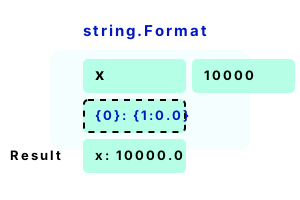
    In this case, I would suggest using a feature/method of C# called string.Format().

    This simplifies making long strings that contain variables.

    You could do something like the following to concatenate some values into a string:

    Code:
    string myString = string.Format("{0} - {1} - {2}", Close[0], Open[0], High[0]);
    SendMail(@"[email protected]", @"Subject", myString );
    There are many formats you can specify, the {0}, {1} and {2} are just placeholders for the variables that come after the string. You can read more about this method in the following links:


    You can also just use the plus symbol as you are now but this can become long or complicated, in any case, this is how you would do that:

    Code:
    string myString = "MIN1: " + MIN1[0] + " MIN2:" + MIN2[0];
    SendMail(@"[email protected]", @"Subject", myString );
    For other formatting in the email, this is something you would need to test to see how your email client displays the result. In most cases you can use new lines in strings like the following:

    Code:
    string myString = "line one \n line two";
    You may also be able to use HTML syntax in the string and have it displayed, this will depend on the email client so this is something that would need to be tested.


    I look forward to being of further assistance.
    Last edited by NinjaTrader_Jesse; 12-18-2018, 10:33 AM.

    Comment


      #3
      Hi Jesse, thanks for the GREAT answer! I'll dive into it.

      Take care,
      Michael

      Comment

      Latest Posts

      Collapse

      Topics Statistics Last Post
      Started by NullPointStrategies, Today, 05:17 AM
      0 responses
      46 views
      0 likes
      Last Post NullPointStrategies  
      Started by argusthome, 03-08-2026, 10:06 AM
      0 responses
      126 views
      0 likes
      Last Post argusthome  
      Started by NabilKhattabi, 03-06-2026, 11:18 AM
      0 responses
      66 views
      0 likes
      Last Post NabilKhattabi  
      Started by Deep42, 03-06-2026, 12:28 AM
      0 responses
      42 views
      0 likes
      Last Post Deep42
      by Deep42
       
      Started by TheRealMorford, 03-05-2026, 06:15 PM
      0 responses
      46 views
      0 likes
      Last Post TheRealMorford  
      Working...
      X