
Hello,
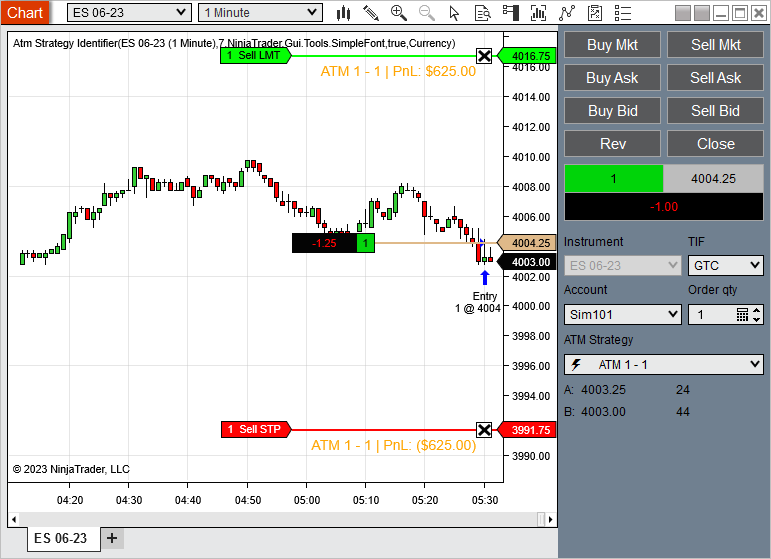
I enter my positions manually and using an ATM to set the initial target and stop loss. Then as I add to the position I want this strategy script to keep track of my position size and automatically adjust my stop loss so that I never lose more than my pre-specified X$ risk if the stop gets hit. I read somewhere that tracking the position through the Account object is the way to go (is this correct?). I do get updates about position changes, but when I call SetStopLoss nothing really happens to the stop loss and I can't see anything in the logs.
Here's the code I'm using (I've tried to use different properties of CalculationMode but nothing worked):
I enter my positions manually and using an ATM to set the initial target and stop loss. Then as I add to the position I want this strategy script to keep track of my position size and automatically adjust my stop loss so that I never lose more than my pre-specified X$ risk if the stop gets hit. I read somewhere that tracking the position through the Account object is the way to go (is this correct?). I do get updates about position changes, but when I call SetStopLoss nothing really happens to the stop loss and I can't see anything in the logs.
Here's the code I'm using (I've tried to use different properties of CalculationMode but nothing worked):
Code:
#region Using declarations
using System;
using System.Collections.Generic;
using System.ComponentModel;
using System.ComponentModel.DataAnnotations;
using System.Linq;
using System.Text;
using System.Threading.Tasks;
using System.Windows;
using System.Windows.Input;
using System.Windows.Media;
using System.Xml.Serialization;
using NinjaTrader.Cbi;
using NinjaTrader.Gui;
using NinjaTrader.Gui.Chart;
using NinjaTrader.Gui.SuperDom;
using NinjaTrader.Gui.Tools;
using NinjaTrader.Data;
using NinjaTrader.NinjaScript;
using NinjaTrader.Core.FloatingPoint;
using NinjaTrader.NinjaScript.Indicators;
using NinjaTrader.NinjaScript.DrawingTools;
#endregion
namespace NinjaTrader.NinjaScript.Strategies
{
public class AutoSL : Strategy
{
protected override void OnStateChange()
{
if (State == State.SetDefaults)
{
Description = @"Automatically sets the stop loss to risk X$ based on the position size.";
Name = "AutoSL";
Calculate = Calculate.OnPriceChange;
EntriesPerDirection = 1;
EntryHandling = EntryHandling.AllEntries;
IsExitOnSessionCloseStrategy = true;
ExitOnSessionCloseSeconds = 30;
IsFillLimitOnTouch = false;
MaximumBarsLookBack = MaximumBarsLookBack.TwoHundredFiftySix;
OrderFillResolution = OrderFillResolution.Standard;
Slippage = 0;
StartBehavior = StartBehavior.WaitUntilFlat;
TimeInForce = TimeInForce.Gtc;
TraceOrders = false;
RealtimeErrorHandling = RealtimeErrorHandling.StopCancelClose;
StopTargetHandling = StopTargetHandling.PerEntryExecution;
BarsRequiredToTrade = 20;
IsInstantiatedOnEachOptimizationIteration = true;
// Find our Sim account
lock (Account.All)
account = Account.All.FirstOrDefault(a => a.Name == "DEMO3188008");
// Subscribe to position updates
if (account != null) {
account.PositionUpdate += OnPositionUpdate;
}
}
}
private void OnPositionUpdate(object sender, PositionEventArgs e)
{
// The following has no impact on the stop loss that has been set already before the position changed
SetStopLoss(CalculationMode.Ticks, 5);
}
private Account account;
}
}


Comment