
Announcement

Collapse
No announcement yet.

Partner 728x90

Collapse

Charts Crashing: Write lock may not be acquired with read lock held.

Collapse
X
 
  • Filter
  • Time
  • Show
Clear All
new posts

    #31
    Hello,

    If you are receiving this error please write into our support team so we may analyze the diagnostic files to help isolate the issue. Once we can isolate the issue is occurring on a native install of NinjaTrader we can report this to our development team to look into further.
    Comment


      #32
      To NinjaTrader 8 Support Team -- what is the status of this product defect?

      My experience it this thread lock error happens multiple times per day without fail on v. 8.1.1.6

      The Renko or Unirenko (by NT Chelsea) bar type with no indicators is guaranteed to cause the thread lock error on a frequent basis... 3 to 8 times per day. Other bar types only a few times per week, some weeks not at all.

      Steps to reproduce: Just create a Renko chart for ES or CL based on Continuum tick data, save the workspace, and come back at the end of the day. Any chart with that same symbol will be frozen regardless of bar type, and all other symbols still working OK. The trace file will have nothing about the issue, as the lock error occurs after the user tries to shut down the platform -- even though the malfunction occurred much earlier.

      After closing the platform and seeing the error dialog (attached), NinjaTrader remains in memory and must have its task "killed" to launch again.

      No custom user rendering code, custom brushes that are not frozen, or any 3rd party add-ons are needed to generate this error. This is internal to NT8 v. 8.0.27+, which is when it first started occuring for me also.
      Attached Files
      Last edited by D Trader; 11-16-2023, 01:50 PM.

      Comment


        #33
        I have email support multiple times regarding this as well. And I have relayed that I thought it might be the UniRenko Bar most of the time. My write locks are when I am mouse over the chart to view indicator readings on a particular candlestick. This will not lock at all times but will happen multiple times per day. I have not experienced this when I leave platform open and running live data over night. I generally have MNQ on my charts.

        DTrader thanks for you details maybe something good will come from you post.

        Comment


          #34
          Hello D Trader

          I will be attempting to reproduce this behavior with the steps you've described. I will report back on this thread with an update.

          Comment


            #35
            So far I have been unable to reproduce this error with these steps. When connected to a Continuum connection, leaving renko charts of CL open and running does not result in an error, nor does it appear if i save and close the workspace and reopen the workspace at a later point in the day.

            Are you able to reproduce this in safe mode?

            Comment


              #36
              Hello NT Ryan,

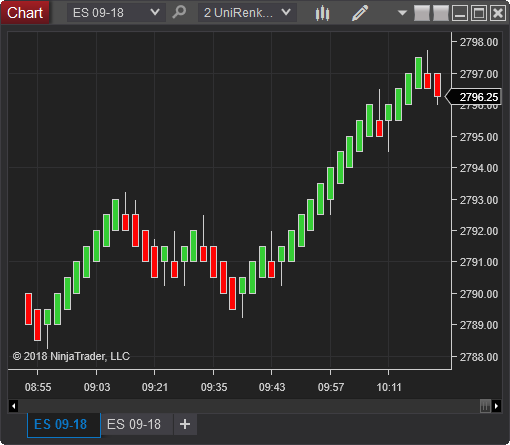
              The Unirenko by NT's ChelseaB that seems to provoke this behavior more often can be found at the link below (also attached as a zip):
              (Update March 11th, 2020 – Fix for TickReplay, calculates values if bar object is mid-session and have not been calculated as least once) This is a conversion of the UniRenko ‐ Universal Renko BarType developed and originally coded for the NinjaTrader 7 platform by monpere. Please contact the original author for any questions or comments. […]


              Although the thread lock error does occur with other chart types like tick, other chart types in my experience do not trigger the issue nearly as frequently. No plausable explanation. FYI, I am using a smaller 3-4 tick Unirenko bar, but not sure this matters.

              In some instances, the chart freezes when I interact with it -- like annotating text, or clicking with the cursor as mentioned by others in this thread. However, I have returned to the chart after an hour or more of no interaction to find it "frozen." But attempting to trade and frequently interacting is the quickest way to ensure UI failure.

              I use no add-ins, third party or otherwise.

              Here's why I am covinced this is an internal unmanaged NT error: As a test, I downgraded to NT v 8.026.1 and I am now able to run UniRenko and any other chart without incident for multiple back-to-back 24-hour days on end. Fully loaded charts, with up to a dozen indicators just like during normal pre-upgrade trading.

              However, the thread lock error appears as soon as I upgrade to any later version of NT, such as the more recent releases starting with 8.028.0 thru 8.1.1.7 (I installed 3 versions in this sequence, all of which exhibited thread lock errors).

              For all NT versions I used the same assembly (code base), same chart -- only the NT version number differs. With versions after 8.026.1 the error occurs even on a plain chart with only simple indicators like EMA... for sure nothing that custom renders to the UI.

              And in every case, nothing related to the thread locking error is written to either the CQG or NT trace files, and nothing to log. Last timestamp precedes the error event, and no lines were added to the trace or log files. No doubt because NT has already stopped operating. I monitored these files for any sign of update prior, during, after the error event, and during/after attempting to close NT.

              The system error dialog attached to my prior post appears only after attempting to close NT in the usual way, which obviously fails.

              I hope this helps. It would appear this is beyond the control of any NT user, and is not trappable at the code layer to which we have access.

              We appreciate your continued efforts. This issue has obvious impacts/implications for a number of professional traders using NT8. Thank you.
              Attached Files

              Comment


                #37

                For me, I don't use NinzaRenko.... I don't think the answer lies there. I was not able to trace the issue to any specific indicator.

                Does the issue happen in Safe mode? No.. and you would not expect it to. The error is caused by two or more threads competing for the same resource. Read locks can be held by multiple threads simultaneously, only for reading. Write locks are exclusive, and can only be held by one thread at a time. The error is caused by a thread trying to obtain a write lock when other threads are currently reading.

                How would this scenario manifest itself? Well firstly you need multiple threads that are trying to access the same shared resource. Secondly, those threads need to be doing some kind of work causing them to take longer to finish their task meaning they onto their locks for longer.

                The probability of the issue manifesting in a "Safe Mode" instance of Ninjatrader is slim, because there isn't much work being done. Therefore threads aren't holding locks for very long. Furthermore, users do not use Ninjatrader in Safe Mode, so this is not a realistic test.

                You need to throw up multiple charts, thereby creating lots of threads. Then add lots of indicators, causing all those threads to do lots of work. All those threads are competing for the same resource and the issue will happen eventually.

                Furthermore, the majority of the stock Ninjatrader indicators are extremely simple. They don't need to do much work. So you're unlikely to get the issue with the stock indicators either.

                Just because the issue only manifests when using third-party code doesn't mean that the third-party code is the problem. Its more likely that the third-party code is stressing the platform more, causing more work and causing the problem.

                The issue doesn't occur in 8.0.26.1 and it does occur in all versions subsequent to this.

                you need to test the platform the way the users use it. In fact you need to stress-test it. Throw every third-party indicator you can get your hands on onto a chart. The more rendering (work) the better. Tens of thousands of bars. Lots of aggressive UI interaction. Get the platform to crash and then try the same again on 8.0.26.1 and prove it doesn't crash.

                8.0.26.1 is rock solid. that's why I'm still using it. You'll never make it crash.
                Last edited by kevinenergy; 11-22-2023, 08:41 AM.

                Comment


                  #38
                  Agree with kevinenergy. Part of the value in NT is the ability to expand it with custom and 3rd-party tools. My experience is the same: I have a workspace that has never locked up using 8.0.26, but locks up regularly if I try to run it in 8.0.28. Clearly, something was changed after 8.0.26 on the NT side that causes this. At the very least, Ninja owes us an explanation of what was changed that is causing previously-solid chart setups to suddenly start locking up. Ideally, Ninja would not just explain it to us, but correct it, or at least show us how to identify the issue and correct it ourselves.

                  Comment


                    #39
                    Hello all,

                    I am working with our development team to look into what changes were made between R26 and R27 that could possibly exacerbate this issue. I will update this thread when I have more information.

                    Comment


                      #40
                      Hi Ryan,

                      Great to hear this is being looked into finally. Many years ago during the Ninjatrader 8 Beta, we had major problems with the platform crashing with the same error message. Back then I wrote an indicator called Bollinger Rainbow Crasher that helped the team reproduce the problem.

                      I've updated my indicator, and attach RainbowCrasher2.

                      It may not be a rendering issue this time around, it could be anything. But if there is a rendering issue this indicator will stress the platform to the max. Its under Indicators/StressTesting.

                      Also, I recall thinking at one stage that the databox might have been related to the crashing. I was always trying to inspect data in the databox when an issue occurred for me. This might have been a coincidence, but it may be worth looking into so make sure the Databox is visible and displaying lots of data from various indicators when trying to reproduce the crashing.
                      Attached Files

                      Comment


                        #41
                        kevinenergy Kudos for coming up with a possible stress test on this one. This reminds me of the recent stories of Microsoft's "cart of death" they used to find weaknesses in USB drivers. https://www.tomshardware.com/news/us...ws-development
                        Bruce DeVault
                        QuantKey Trading Vendor Services
                        NinjaTrader Ecosystem Vendor - QuantKey

                        Comment


                          #42
                          Originally posted by QuantKey_Bruce View Post
                          kevinenergy Kudos for coming up with a possible stress test on this one. This reminds me of the recent stories of Microsoft's "cart of death" they used to find weaknesses in USB drivers. https://www.tomshardware.com/news/us...ws-development
                          Ha... I should rename the Indicator to Kev's Cart of Death :-)
                          That's a great story. Awesome that they even used a USB Gaming wheel to steer the cart!

                          Comment


                            #43
                            FIX IT ,PLEASE OR GO BACK TO THE LAST VERSION UNTIL YOU DO >I am considering moving my account .so glad I didn't purchase the lifetime upgrade.

                            Comment


                              #44
                              no, they don't care ,if they did they would go back to the prior platform using it until all the bugs on the new platform were resolved !!

                              Comment


                                #45
                                Welp... Me Too Even upgraded my hardware and was looking for instructions to moving to a new machine, then found this thread. Usually have a position on it seems ninza renko bars freezes, other things semi active. Have to ctrl alt del and kill all ninjatrader processes before can restart. ib kinetick log file shows nothing useful 8 1 2 0 64
                                Last edited by RedRock; 11-28-2023, 06:10 PM.

                                Comment

                                Latest Posts

                                Collapse

                                Topics Statistics Last Post
                                Started by argusthome, 03-08-2026, 10:06 AM
                                0 responses
                                86 views
                                0 likes
                                Last Post argusthome  
                                Started by NabilKhattabi, 03-06-2026, 11:18 AM
                                0 responses
                                48 views
                                0 likes
                                Last Post NabilKhattabi  
                                Started by Deep42, 03-06-2026, 12:28 AM
                                0 responses
                                29 views
                                0 likes
                                Last Post Deep42
                                by Deep42
                                 
                                Started by TheRealMorford, 03-05-2026, 06:15 PM
                                0 responses
                                32 views
                                0 likes
                                Last Post TheRealMorford  
                                Started by Mindset, 02-28-2026, 06:16 AM
                                0 responses
                                67 views
                                0 likes
                                Last Post Mindset
                                by Mindset
                                 
                                Working...
                                X