
Announcement

Collapse
No announcement yet.

Partner 728x90

Collapse

Chart is lagging big since the new update

Collapse
X
 
  • Filter
  • Time
  • Show
Clear All
new posts

    #16
    Hello Lancer,

    Specifically this would be limited by the computer hardware and the single threaded performance. The higher the single threaded performance, the better any CPU core will be able handle a larger load. More CPU cores can help offset other work for other threads, so having more cores can help, up to the limit of the single threaded performance for any one thread on any one core.

    More efficient code can often go alot lot further for alleviating performance pains.
    Just as example, this script was causing high performance impact on client computers and we got some complaints. I've re-written the code to be much much more efficient and it causes a much lower performance impact.
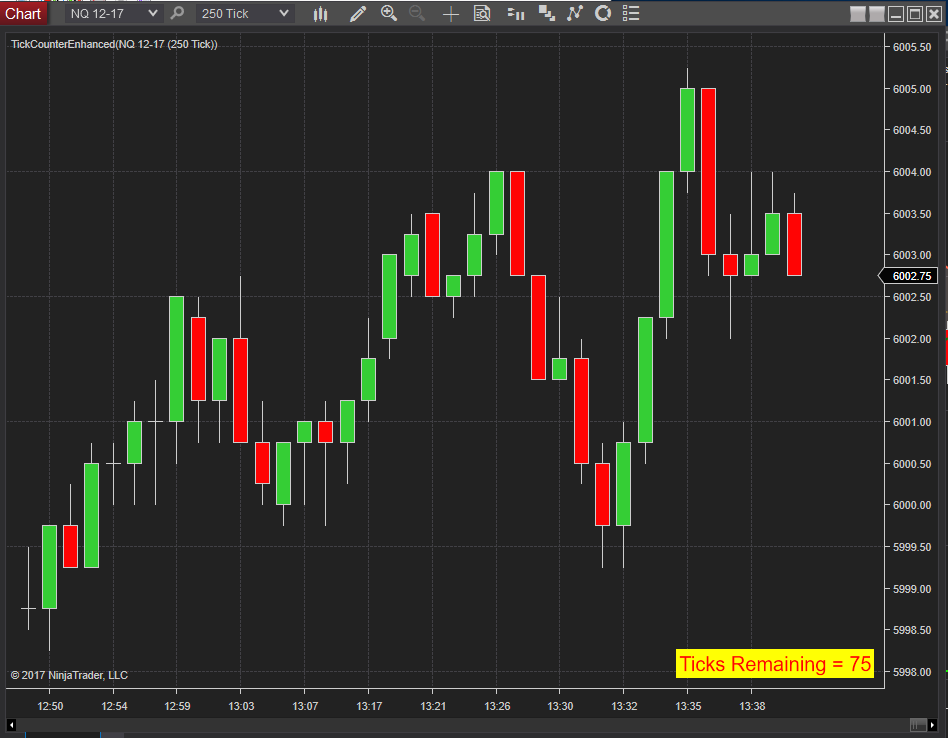
    Tick counter modified to allow: Place text in any corner. Full control of text font, size and style. Alert level will change text color and background for visual feedback, can adjust the colors Option to play sound once per bar when alert level crossed Sound file can be selected Only works on Tick bars or […]
    Last edited by NinjaTrader_ChelseaB; 06-12-2022, 09:05 PM.
    Chelsea B.NinjaTrader Customer Service

    Comment


      #17
      So today again problems in the afternoon..... So what I did.... I deleted all indicators from all charts..... result is in the screenshot.
      When it is the third party indicator my charts should move faster now and get back to normal, right?
      But thats not the case. As you can see.... the SUPERDOM is always on track with the price - doesn't matter if I have the indicators in the chart. How can that be?
      Attached Files

      Comment


        #18
        Hello Testmaster,

        May I have a screenshot of the Workspaces menu to confirm all other workspaces are closed?
        Are there charts that are on other monitors or minimized?

        The Order Flow indicators and Volumetric bar type can also be CPU intensive, please remove these as well.

        The chart would lag behind the SuperDOM as the SuperDOM is not running any scripts and is responding directly to ask and bid updates.

        With 24 logical processors, each logic processor would max out at 4.17%. This means a single thread would max out the logical processor the thread is running on at 4.17% utilization of the entre CPU made of 12 cores and 24 logic processors.

        10 charts with 10 separate instruments = 10 instrument threads, charts and scripts can be spread across 10 different logic processors (managed by the OS)
        10 charts with 1 instrument in all charts = 1 instrument thread, all charts and scripts running on the same logic processor

        More cores is only helpful if each logic processor has a high single thread performance. Often chip makers will sacrifice single threaded performance for adding more cores. Its possible to have a CPU with less cores that each have a higher clock speed and higher single threaded performance, which will give NinjaTrader the resources to avoid performance degradation.

        Can you reproduce with a single chart and a single superDOM?
        Chelsea B.NinjaTrader Customer Service

        Comment


          #19
          Hi,

          So I closed everything and just run one chart WITH my indicator. No problem.
          There is only one workspace open. Please see the screenshots.

          When you mentioned Volumetric bartypes are a possible problem I closed only that chart and run all my charts with my indicators.... result: Everything works.
          So it is not the third party indicator to blame. It is you.... your Volumetric bartype charts are causing the problem not my hardware or anything else.
          Attached Files

          Comment


            #20
            Hello Testmaster,

            The Volumetric bar type is a resource intensive bar type. This is due to the amount of processing that must be done with the volume of every received tick.
            Chelsea B.NinjaTrader Customer Service

            Comment


              #21
              I had never a problem in the afternoon with the ES and my Charts including the volumetric bar type. That occured with the latest update. So please fix it...

              Comment


                #22
                Hello Testmaster,

                Below is a link to the downloads page where you can download 8.0.25.0.


                To confirm, are you able to reproduce with 8.0.25.0? If not, if you immediately update to 8.0.26.1 using the same workspace, then the behavior is reproducible?

                If so, I will need to schedule a call to observe this behavior.
                Chelsea B.NinjaTrader Customer Service

                Comment


                  #23
                  #Testmaster - a suggestion fwiw hopefully to save you from wasting more of your time identifying bugs - send your workspace to Support and tell them to do the work & to let you know when they’ve found & fixed it.
                  Policy is to put that workload on the User & ‘blame’ everything else under the sun before looking inward. Personally I have reached a zero-tolerance policy for this over the years.
                  You can see in the Forum below that 26.1 has been released with flaws that are causing problems which 25 & 26 did not.
                  Just sayin’ ;-)
                  #HadEnough
                  #FightBack

                  Comment


                    #24
                    Hello brucerobinson,

                    To report anything we need to observe and reproduce.

                    Fighting back would not allow us to report this behavior.

                    Providing the requested information would.
                    Chelsea B.NinjaTrader Customer Service

                    Comment


                      #25
                      Replicating yourselves with the User’s workspace may allow you to observe and report.
                      Entirely up to the OP

                      Comment


                        #26
                        Originally posted by NinjaTrader_ChelseaB View Post

                        With 24 logical processors, each logic processor would max out at 4.17%. This means a single thread would max out the logical processor the thread is running on at 4.17% utilization of the entre CPU made of 12 cores and 24 logic processors.

                        10 charts with 10 separate instruments = 10 instrument threads, charts and scripts can be spread across 10 different logic processors (managed by the OS)
                        10 charts with 1 instrument in all charts = 1 instrument thread, all charts and scripts running on the same logic processor.
                        Hello,

                        Is this not a HUGE design flaw? Why can’t 10 charts of the same instrument be spread across multiple logic processors?

                        Many of us trade only one instrument and would typically have multiple charts of it.

                        I also have lagging issues from time to time and multiple charts of the same instrument could be part to blame. However, this is what I need.

                        I also note that you ask the OP to not only drop custom indicators, but native NT indicators, too.

                        I’m at a point now where I’m probably going to find another software. And that is a pity as I’ve used NT forever and really like the platform. But performance and stability is super important for an active day trader.

                        Regards,

                        Johnny

                        Comment


                          #27
                          Hello Johnny,

                          The main take away here is the issue is caused by scripts running.

                          As far how threading works, the instrument thread is requesting the data through the connection api of the data feed, and then pushing the data to subscriber threads. The subscriber threads can't do anything until the instrument thread pushes data to them and triggers onbarupdate or onmarketdata etc. The subscriber threads are dependent on the instrument thread and running on the same logical processor. The same is true for the Account threads with OnOrderUpdate() / OnExecutionUpdate() / OnPositionUpdate(). These are dependent on the account thread to request and push account information.

                          Only one thread can be made to request and push instrument data information.
                          Only one thread can be made to request and push account information.

                          The subscriber threads for charts are all dependent on that thread. If one indicator or bar type is particularly CPU intensive, this will cause the instrument thread processor to overutilize.

                          As a heads up, order flow indicators and bar types are particularly CPU intensive. As noted in the forum thread linked in post #2, the NinjaScript Utilization Monitor can show this.
                          This is due to the way they process every incoming market data update for ask and bid volume. The amount of data processing causes the scripts to be resource intensive.
                          Chelsea B.NinjaTrader Customer Service

                          Comment


                            #28
                            Looks like the error has gone with the 26.1 update.... but wasn't able to test it at 4pm

                            Comment


                              #29
                              HI Testmaster and ChelseaB,
                              I beleive the problem is with the range charts.
                              I am having the same lagging problems as reported by Testmaster. I've been doing some testing (adding and deleting indicators, enabling and disabling tick replay, and others).
                              I am almost certain that range charts are the culprit of the system lags.
                              Testmaster, can you check if you have the same results?

                              Comment


                                #30
                                Hello horacioofman,

                                Just to confirm, you are testing with all workspaces closed on a blank chart with no indicators applied and all other charts closed, is this correct?
                                Chelsea B.NinjaTrader Customer Service

                                Comment

                                Latest Posts

                                Collapse

                                Topics Statistics Last Post
                                Started by argusthome, 03-08-2026, 10:06 AM
                                0 responses
                                79 views
                                0 likes
                                Last Post argusthome  
                                Started by NabilKhattabi, 03-06-2026, 11:18 AM
                                0 responses
                                45 views
                                0 likes
                                Last Post NabilKhattabi  
                                Started by Deep42, 03-06-2026, 12:28 AM
                                0 responses
                                29 views
                                0 likes
                                Last Post Deep42
                                by Deep42
                                 
                                Started by TheRealMorford, 03-05-2026, 06:15 PM
                                0 responses
                                32 views
                                0 likes
                                Last Post TheRealMorford  
                                Started by Mindset, 02-28-2026, 06:16 AM
                                0 responses
                                65 views
                                0 likes
                                Last Post Mindset
                                by Mindset
                                 
                                Working...
                                X