Announcement

Collapse
No announcement yet.

Partner 728x90

Collapse

Set range

Collapse
X
 
  • Filter
  • Time
  • Show
Clear All
new posts

    Set range

    hi, i've 2 question

    1)

    i want to set value in a float range (0, 1)

    Code:
          public float Random        {
                get { return random; }
                set { random=(value<0)?0:((value>1)?1:value); }
            }
    you can do it in a better way?


    2)
    Another question :

    in ninjatrader the decimal is declared with "," ? (comma)

    in Properties



    ex: if i fill it with 0.2...isn't correct ....i give fill with 0,2
    Last edited by esignal; 03-29-2017, 03:40 AM.

    #2
    Hello esignal,

    Thanks for writing in.

    I have added a float to a custom indicator specifying the range between 0 and 1. Everything is working correctly for me. I have provided my example below:

    Code:
    		[Range(0, 1)]
    		[NinjaScriptProperty]
    		[Display(Name="MyFloat", Description="Range 0 to 1", Order=0, GroupName="Parameters")]
    		public float Period
    		{ get; set; }
    The Tips section of the forums has a thread on creating various user defined inputs that may be useful to you. I will provide a link: http://ninjatrader.com/support/forum...ead.php?t=5782

    Depending on the region settings of your PC, NinjaTrader may elect to use commas instead of decimals in the user interface. Within code, decimal notation will still have to be noted with decimals when the user interface will use the character associated with the region settings.

    Please let me know if I may be of further help.

    Comment


      #3
      My code is different from your code


      In my code ...if i write number 2...it give me 1
      In Your code it give me an error...

      See


      Should the property be set as a NinjaScriptAttribute and called from a hosting NinjaScript object and determines to be invalid, an exception will be thrown and the hosted indicator will NOT execute.

      Comment


        #4
        Hello esignal,

        Thanks for the reply.

        I am not aware of the context where you are receiving an error. I will provide you a sample indicator that uses a float for an input parameter with the range between 0 and 1.

        If there is something that you are doing differently to achieve different results, please provide me some sample code that defines what you are doing and the error you are encountering. It will be important for me to understand why you are doing something different as well.

        Please let me know if I may be of further assistance.
        Attached Files

        Comment


          #5


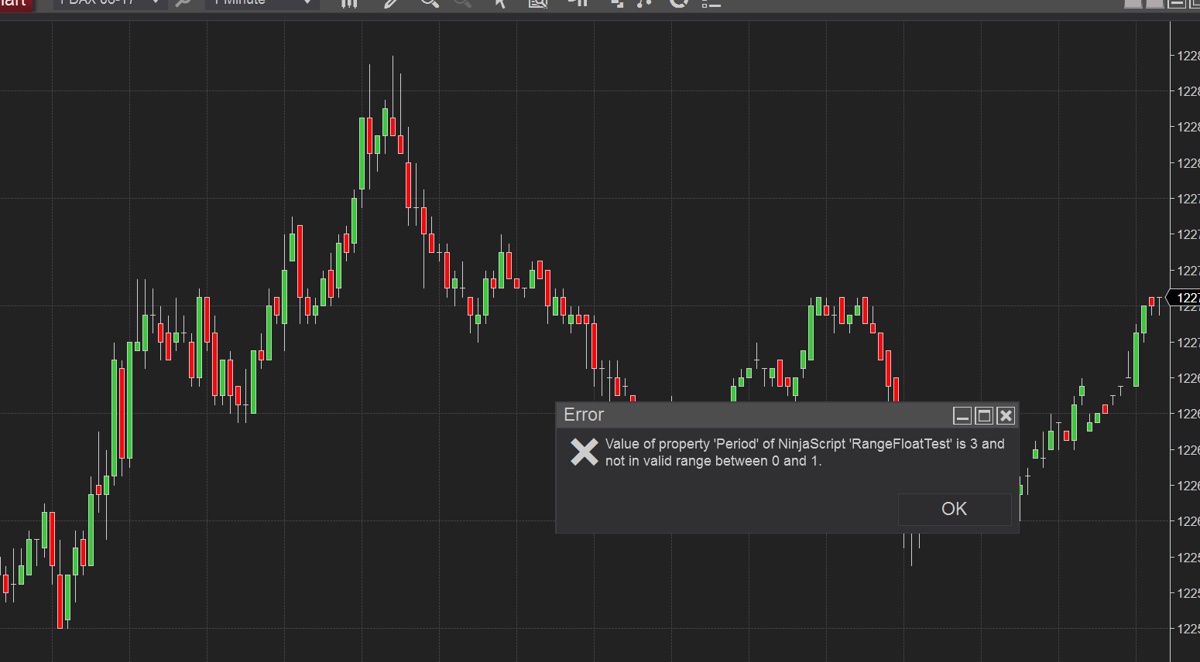
          this is error ...

          Comment


            #6
            Hello esignal,

            Thanks for the reply.

            The error is reporting that you tried to place a value of 3 into that input field and that value is outside of the specified Range. This is the intention of the Range attribute. If you entered 0.5 (or 0,5 depending on your PC's region settings) then the value would be within the Range of 0 to 1.

            If your intention is to automatically change a user's input to be within a desired range, you could hard code this like you have done in your initial message to check if the value is outside of the bounds and set it to the bounds if the value exceeds it.

            The Range attribute is intended to alert the user that they have not entered the proper results.

            If you have any other questions, please don't hesitate to ask.

            Comment

            Latest Posts

            Collapse

            Topics Statistics Last Post
            Started by Geovanny Suaza, 02-11-2026, 06:32 PM
            0 responses
            579 views
            0 likes
            Last Post Geovanny Suaza  
            Started by Geovanny Suaza, 02-11-2026, 05:51 PM
            0 responses
            334 views
            1 like
            Last Post Geovanny Suaza  
            Started by Mindset, 02-09-2026, 11:44 AM
            0 responses
            101 views
            0 likes
            Last Post Mindset
            by Mindset
             
            Started by Geovanny Suaza, 02-02-2026, 12:30 PM
            0 responses
            554 views
            1 like
            Last Post Geovanny Suaza  
            Started by RFrosty, 01-28-2026, 06:49 PM
            0 responses
            551 views
            1 like
            Last Post RFrosty
            by RFrosty
             
            Working...
            X