
Announcement

Collapse
No announcement yet.

Partner 728x90

Collapse

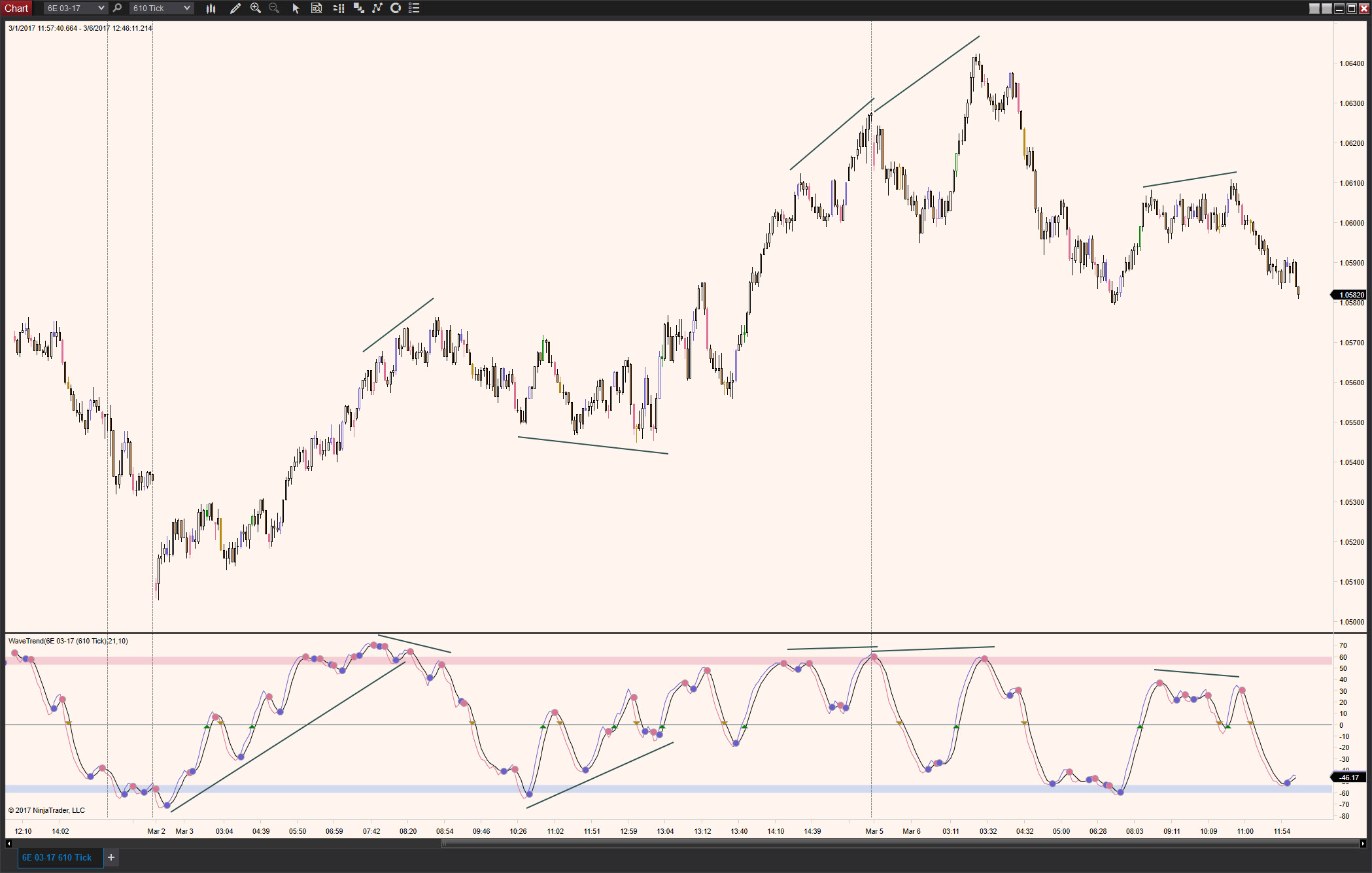
exposing the wavetrend indicator for strategy builder

Collapse
X
 
  • Filter
  • Time
  • Show
Clear All
new posts

    #16
    I assume Chelsea has advised you that only Plots are 'exposed' for
    use in Strategy Builder.

    Which means, that it's very important to understand how you intend
    for this 'reversal' variable to be employed inside Strategy Builder.

    Perhaps what you're wanting to do is not possible?
    Comment


      #17
      Originally posted by bltdavid View Post
      I assume Chelsea has advised you that only Plots are 'exposed' for
      use in Strategy Builder.
      I've been told so many times by everyone.

      Originally posted by bltdavid View Post
      May I suggest you describe in very specific terms exactly what
      you're wanting to do?

      Do you really want every bar to have it's own 'reversal' value
      associated with it? Or do you want a single global 'reversal'
      setting, like a knob, that the user can turn on and off?
      I want to tell strategy builder what the indicator is doing.
      In this case, the topic of this thread is the wavetrend indicator.
      If theres a wavetrend crossover either way, I want the strategy to react to it.

      Comment


        #18
        Can you post a link to the wavetrend indicator?

        Comment


          #19
          WaveTrend v2 8-20-2019 corrected tag name error WaveTrend is a fast moving, sensitive oscillator with smoothing that is quick to react on crossovers and does its best not to lag price changes. Not much is known about WaveTrend, but it is very popular in MetaTrader. It acts like a tight hugging Jurik JMA or Arnaud‐Legoux […]

          I'm asking for any indicator, not just that one.
          I want to have the ability to modify other indicators so I can use them with strategy builder or coding strategies manually

          Comment


            #20
            Hello ezrollin,

            The code you have:
            public Series<bool> reversal

            Will not work. This is a public Series<bool> not a public Series<double>.

            A bools series is not a plot series. You need to be returning the Values[plot index] with a public Series<double>.

            Its not going to work until you have exactly what is shown in the example I provided you.

            Please try returning Values[0] with a public Series<double>.

            I am copying and pasting the code from my example, as I do not believe you have looked at it.
            Code:
            [Browsable(false)]
            [XmlIgnore]
            public Series<double> SignalPlot
            {
            get { return Values[0]; }
            }
            Chelsea B.NinjaTrader Customer Service

            Comment


              #21
              OK, this is what I have now:
              Code:
              public Series<double> reversal;   // in parameters
              
              reversal = new Series<double>(this);     // in setdefaults
              
              reversal[0]    = 1;     //true
              reversal[0]    = 0;    //false
              
              [Browsable(false)]        // in properties
              [XmlIgnore]
              public Series<double> Reversal
              {
              get { return reversal[0]; }
              }
              I tried using "reversal" instead of "values" because I didnt want values to conflict with anything else in the script but it should probably be "values" huh?
              I didnt add an ADDPLOT because you didnt tell me to.
              What am I doing wrong? thanks


              Comment


                #22
                I'm getting a "cannot convert double to series double" on that property ( get {return reversal[0]; )

                Comment


                  #23
                  Hello ezrollin,

                  One item is that your backing variable should be private, this is currently exposed which will have errors:

                  public Series<double> reversal; // in parameters

                  that should be
                  Code:
                  private Series<double> reversal; // in parameters
                  The public property is also returning a series not a single double value so you just need to pass the variable that is a Series<double> object:


                  Code:
                  [Browsable(false)] // in properties
                  [XmlIgnore]
                  public Series<double> Reversal
                  {
                      get { return reversal; }
                  }
                  Last edited by NinjaTrader_ChelseaB; 12-26-2021, 03:26 PM.

                  Comment


                    #24
                    That got it to show up in the strategy.
                    I cant get the strategy to run though. I'm on playback, I click on the radio button to enable it but it immediately unchecks it.
                    I get this error in the Output: "Strategy 'Scalp': Error on calling 'OnBarUpdate' method on bar 40: Object reference not set to an instance of an object."
                    I've made NO changes to the OnBarUpdate section...
                    Also its been hard to get the indicator to show its original plots.
                    I even copied over a fresh install manually and reentered our edits.

                    Comment


                      #25
                      Hello ezrollin,

                      Object reference not set to instance of an object means there was a variable with a null value.


                      What variable is causing the error? What method is this being used from?
                      Chelsea B.NinjaTrader Customer Service

                      Comment


                        #26
                        it only happens when I add my added reversal


                        private Series<double> reversal;

                        [Browsable(false)] // in properties [XmlIgnore] public Series<double> Reversal { get { return reversal; } }

                        SO I think I need to assign a value to the reversal somewhere other than in my IF THEN condition?

                        Comment


                          #27
                          Hello ezrollin,

                          Testing this does not cause an error on my end. Are you certain this is the code causing the error?

                          If this code is commented out, does the error stop?
                          Attached Files
                          Chelsea B.NinjaTrader Customer Service

                          Comment


                            #28
                            Originally posted by NinjaTrader_ChelseaB View Post
                            Are you certain this is the code causing the error?
                            If this code is commented out, does the error stop?
                            Originally posted by ezrollin View Post
                            it only happens when I add my added reversal
                            Yes.
                            The code you sent me allowed me to figure it out.
                            I didnt have that stuff in the Data Loaded section. I didnt have a data loaded section at all
                            I noticed it doesnt have anything about a plot?
                            Thanks

                            Comment


                              #29
                              Hello ezrollin,

                              This is a custom series. Which has to be instantiated in State.DataLoaded as specified in the help guide.

                              Returning a plot series does not require making a custom series as shown in post# 20.
                              Last edited by NinjaTrader_ChelseaB; 12-29-2021, 11:20 AM.
                              Chelsea B.NinjaTrader Customer Service

                              Comment


                                #30
                                Hey Chelsea,
                                Thanks for your script. It helped me figure out how to expose it but I guess its not returning the variable correctly.
                                I sent my script to Paul and he said I have to use AddPlot and add an output in region properties. (if I added a property, I'm not sure I would be doing it right)
                                Can you update your example to show that please?
                                Thanks,
                                ezrollin

                                This is what he said:
                                The issue here is that the Strategy builder can only work with a plot.

                                It will not work with an exposed double variable.

                                You would need to add a plot using AddPlot(). You can set the plot as a transparent plot so it is not visible on the chart but will still provide a value to the strategy builder.

                                You would assign your values in the same way that you have with the exposed double series. You will also need to add an output for it in region Properties, just like the Up[Trend and DownTrend plots, as you are adding a third plot then you would be using Values[2].

                                Comment

                                Latest Posts

                                Collapse

                                Topics Statistics Last Post
                                Started by Geovanny Suaza, 02-11-2026, 06:32 PM
                                0 responses
                                599 views
                                0 likes
                                Last Post Geovanny Suaza  
                                Started by Geovanny Suaza, 02-11-2026, 05:51 PM
                                0 responses
                                345 views
                                1 like
                                Last Post Geovanny Suaza  
                                Started by Mindset, 02-09-2026, 11:44 AM
                                0 responses
                                103 views
                                0 likes
                                Last Post Mindset
                                by Mindset
                                 
                                Started by Geovanny Suaza, 02-02-2026, 12:30 PM
                                0 responses
                                558 views
                                1 like
                                Last Post Geovanny Suaza  
                                Started by RFrosty, 01-28-2026, 06:49 PM
                                0 responses
                                558 views
                                1 like
                                Last Post RFrosty
                                by RFrosty
                                 
                                Working...
                                X