
Announcement

Collapse
No announcement yet.

Partner 728x90

Collapse

How to code to refresh a tick chart to a new tick bar size?

Collapse
X
 
  • Filter
  • Time
  • Show
Clear All
new posts

    How to code to refresh a tick chart to a new tick bar size?

    I am looking to:

    1. find the total number of ticks/trades in the last day on a 1000-tick chart
    2. divide by 60,
    3. then refresh the tick chart to the new tick value, so the tick chart shows exactly 60 bars per day

    How do I start on #1?

    For #3, writing BarsPeriod.Value=2000 in OnStateChange on a 1000 tick chart doesn't do anything - the chart is still 1000 tick.

    Thank you for any help!
    #2
    Hello xxzbill,

    It is not supported to directly change the data series information of a chart.

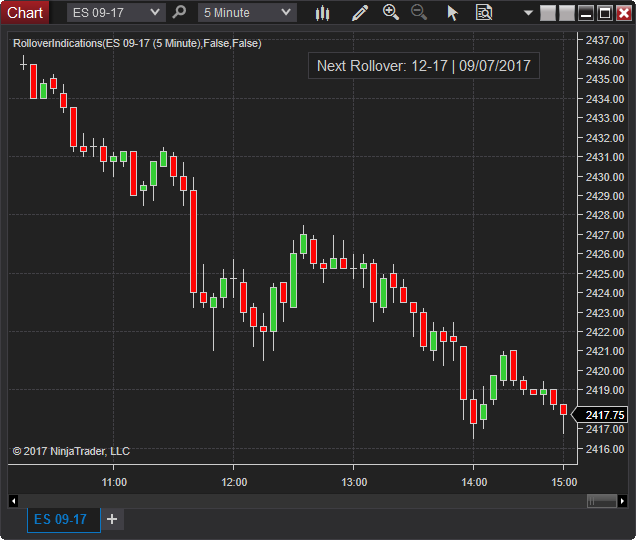
    An undocumented approach would be to send keys using Keyboard.FocusedElement.RaiseEvent. The RolloverIndications indicator has an demonstration of this in a button click.
    Shows a button on the chart to roll the expiry to the next available contract month. Option to hide button until a number of days before or on roll date. Another option to confirm by opening the instrument overlay selector or automatically rollover without confirmation. (Update June 27th, 2019 – Added an option to show […]
    Chelsea B.NinjaTrader Customer Service

    Comment

    Latest Posts

    Collapse

    Topics Statistics Last Post
    Started by CarlTrading, 03-31-2026, 09:41 PM
    1 response
    82 views
    1 like
    Last Post NinjaTrader_ChelseaB  
    Started by CarlTrading, 04-01-2026, 02:41 AM
    0 responses
    43 views
    0 likes
    Last Post CarlTrading  
    Started by CaptainJack, 03-31-2026, 11:44 PM
    0 responses
    64 views
    2 likes
    Last Post CaptainJack  
    Started by CarlTrading, 03-30-2026, 11:51 AM
    0 responses
    68 views
    0 likes
    Last Post CarlTrading  
    Started by CarlTrading, 03-30-2026, 11:48 AM
    0 responses
    56 views
    0 likes
    Last Post CarlTrading  
    Working...
    X