Announcement

Collapse
No announcement yet.

Partner 728x90

Collapse

Is there a way to NOT have an indie process ALL bars on chart for debugging purposes?

Collapse
X
 
  • Filter
  • Time
  • Show
Clear All
new posts

    Is there a way to NOT have an indie process ALL bars on chart for debugging purposes?

    Hello.

    I'm trying to find a bug in a script I have. Using NT8, the indicator when run, processes ALL of the bars on the chart.

    This is different than I remember NT6 or NT7 being, where it would only process the right most bar on the chart. I.e., if you scrolled to the left, THEN loaded the indicator(F5), you could bump the chart forward bar-by-bar, and the indie would process each bar as you scrolled forward.

    I used to use Print() to plot various values of the indicator for debugging purposes, while bumping the chart forward.

    Is there a way to accomplish a similar thing in NT8? I.e., a break/pause type function where you can process the indicator bar by bar, while checking various indicator values?

    Thanks,
    Forrest

    #2
    Hello forrestang,

    Thanks for the question.

    By default processing all bars would be what is expected for all versions of NinjaScript. The historical data is processed and then you move into realtime. Stepping bar by bar would not be something the platform normally can do in regard to NinjaScript processing.

    It sounds like the item you were using in the previous versions may have been using fixed bar indexes or some non standard way of programming. Moving bar by bar like you described can be accomplished but the indicator will have already been calculated and plotted, you would just be stepping through the already calculated data at that point.

    You can access the currently visible bars on the chart and get their index to do something similar to what you described, the best case would be to just look at the code for whatever item you were using in 7 to see what it was doing for processing. That would help to better explain how to make it work like you wanted.


    I look forward to being of further assistance.

    Comment


      #3
      Hello Jesse.

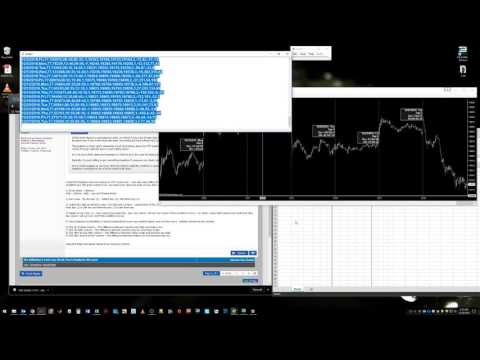
      Here is an example of the behavior I am trying to explain. I believe this was NT7? THis was an indicator I created, and a video I created a while back. I'm sharing starting @ 3:06 minutes of the video, where I'm showing the output window. And you can see, how there is a certain amount of data on the output window(which is limited to the right scroll of the chart)... but scrolling the chart to the right, you can see how the output window gets populated as the chart is manually scrolled.

      I'm wondering if there is a way to replicate this type of behavior in NT8? It looks like based on what you are saying, there is no way to do that.

      Comment


        #4
        Hello forrestang,

        I understand what you are saying but I would need a sample of what logic you had used to explain that processing. What you see now or processing from bar 0 to present is what is expected and normal.

        If this is something you created in NT7 the best solution is to open that code up and provide a sample of what you were doing so that we can make a quick review of what needs to be used in 8. If you have some proprietary logic you don't want to share you can leave that out but I would need to get a general idea of what you were doing originally to see how that may be accomplished in 8.

        If you tried converting the script to 8 already, then providing what you have now along with the NT7 original would help to gauge what needs to change. You can also send this into our platform support [at] ninjatrader.com for further assistance if you don't want to share it here.

        I look forward to being of further assistance.

        Comment


          #5
          Howdy.

          I think I am doing a poor job of explaining this.

          For example, I just opened up NT7. The version I have on my PC is the 64-bit version, 7.0.1000.40.

          I created a simple script, where it simply plots the Time of each bar, plus the close price. I have attached both the script, along with an image that shows the code(image of code labeled Indie_Jpg). You can install this indicator, but it's so simple it's not worth installing it.

          So I just did this to verify.

          So to explain.... in the image labeled "Number 1".... you can see my output window, and you can see the right edge of the chart. You can see I do not have my chart scrolled all the way to the right. Also note the output window. While all the bars are loaded, NT7 DOES NOT process the indicator on all bars... only the data up to how far the chart is scrolled. That is just how NT7 works.

          Now... on the chart, I will leave it as is, and hit my right arrow. You can see in the image labeled "Number 2," the output window now shows the bar 4 hours later, and you see the new piece of data loaded to the output window.

          I hope this makes sense? NT7 only INITIALLY process the indicator, UP TO THE POINT of the VISIBLE bars on the chart. The effect this has, is it's really easy to use printouts to the output window, for debugging purposes.

          So my question initially... was is it possible to replicate this behavior in NT8, as NT8 processes the indicator value for the ENTIRE chart, irrespective of how far the chart is scrolled.
          Attached Files

          Comment


            #6
            Just a note, you can probably consider this issue closed, as I think what I am looking for is just not something that NT8 does.

            What I am doing now to find bugs this particular set of bugs is delimit on Time, and only print a specific set of bars where I want to look for bugs with something like this:
            Code:
            int NDX = BarListLo.Count-1;
            DateTime date1 = new DateTime(2020, 7, 06, 08, 0, 0);
            DateTime date2 = new DateTime(2020, 7, 14, 14, 0, 0);
            if(Time[0] > date1 && Time[0] < date2 )
                Print(Time[0] +" "+NDX+" "+ BarListLo.Count+" "+ High[0] +" "+ BarListLo[NDX].Bar3Level+" "+ BarListLo[NDX].Complete +" "+ BarListLo[NDX].Traded+" "+ BarListLo[NDX].Drawn);

            Comment


              #7
              Hello forrestang,

              Thank you for the reply.

              Yes this type of processing would not be available in NT8, it should simply process all bars and not just up to the point where you are at in the chart. That seems to be a correction moving forward in NT8.

              You could use the ToIndex and OnRender to achieve similar stepping through time but the script will still have processed all bars in OnBarUpdate. If the workaround you have found works you could use that as well.

              Please let me know if I may be of further assistance.

              Comment

              Latest Posts

              Collapse

              Topics Statistics Last Post
              Started by Geovanny Suaza, 02-11-2026, 06:32 PM
              0 responses
              574 views
              0 likes
              Last Post Geovanny Suaza  
              Started by Geovanny Suaza, 02-11-2026, 05:51 PM
              0 responses
              333 views
              1 like
              Last Post Geovanny Suaza  
              Started by Mindset, 02-09-2026, 11:44 AM
              0 responses
              101 views
              0 likes
              Last Post Mindset
              by Mindset
               
              Started by Geovanny Suaza, 02-02-2026, 12:30 PM
              0 responses
              553 views
              1 like
              Last Post Geovanny Suaza  
              Started by RFrosty, 01-28-2026, 06:49 PM
              0 responses
              551 views
              1 like
              Last Post RFrosty
              by RFrosty
               
              Working...
              X