Announcement

Collapse
No announcement yet.

Partner 728x90

Collapse

Negative value of Bars.PercentComplete

Collapse
X
 
  • Filter
  • Time
  • Show
Clear All
new posts

    Negative value of Bars.PercentComplete

    It was my understanding that Bars.PercentComplete should have values between 0 and 1. However, it seems to be taking negative values and the actual range of values changes slightly on different runs (or different days). Yesterday it was moving in the range from -5% to 95%. Today it seems to be in the range of -8% to 92%. I am using my indicator on the 1-minute bar chart for ES. My code is very straight-forward:

    Code:
    if (State == State.Realtime)
    {
        Draw.TextFixed(this, "barstatus", Bars.PercentComplete.ToString("P0"), TextPosition.TopRight);
        // other code
    }
    Is this by design, or is this a defect? If by design, please explain the logic of defining the range of possible values for Bars.PercentComplete. Thank you.
    Last edited by kl3333; 07-23-2020, 08:26 AM.

    #2
    Hello kl3333,

    Welcome to the NinjaTrader forums!

    I've given a test but was not able to reproduce.


    Are you also seeing the BarTimer indicator included with NinjaTrader counting down to 0 and starting a new bar improperly?

    Is your PC Clock in sync with internet time to the second?
    Compare your PC Clock with https://www.time.gov/

    If you are not in sync:
    • Shutdown NinjaTrader
    • Navigate to the Windows Control Panel
    • Select Clock and Region -> then click 'Set the time and date'
      (Or click 'Date and Time' if this is visible)
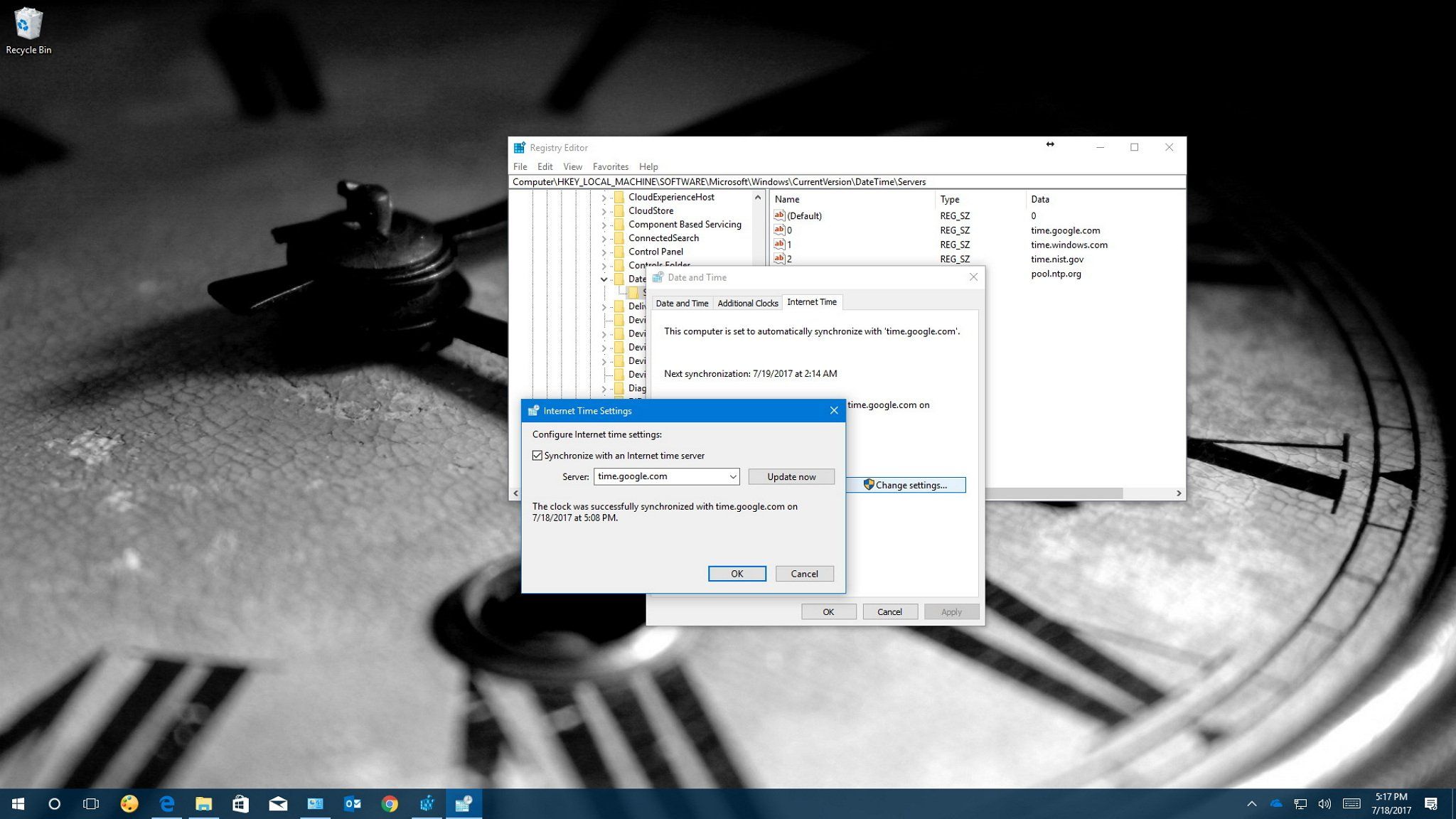
    • Click on Internet Time tab
    • In the Server: drop-down select time.nist.gov
    • Click Update
    • If the message that appears says successful your PC clock should now be updated
      If not, select a different server from the Server: drop-down and try again (repeat until one of the servers is successful)
    • Restart NinjaTrader
    • Connect to a data feed, then right-click the chart and select Reload All Historical Data

    Below are a few links to 3rd party educational sites with steps to synchronize with internet time.
    If your device is showing the wrong time, and it's not a time zone issue, you can try changing the Internet Time settings on Windows 10 to fix the problem.


    This tutorial will show you how to synchronize time with Internet time server and add the new time server using the Registry in Windows 10.


    After syncing the PC clock, please let me know if this has not resolved the issue.
    Attached Files
    Chelsea B.NinjaTrader Customer Service

    Comment


      #3
      Thank you, Chelsea. My local PC clock was a few seconds off. I have synchronized it with the internet time and the issue has disappeared. Thanks again for your help.

      Comment

      Latest Posts

      Collapse

      Topics Statistics Last Post
      Started by Geovanny Suaza, 02-11-2026, 06:32 PM
      0 responses
      591 views
      0 likes
      Last Post Geovanny Suaza  
      Started by Geovanny Suaza, 02-11-2026, 05:51 PM
      0 responses
      342 views
      1 like
      Last Post Geovanny Suaza  
      Started by Mindset, 02-09-2026, 11:44 AM
      0 responses
      103 views
      0 likes
      Last Post Mindset
      by Mindset
       
      Started by Geovanny Suaza, 02-02-2026, 12:30 PM
      0 responses
      555 views
      1 like
      Last Post Geovanny Suaza  
      Started by RFrosty, 01-28-2026, 06:49 PM
      0 responses
      552 views
      1 like
      Last Post RFrosty
      by RFrosty
       
      Working...
      X