
Announcement

Collapse
No announcement yet.

Partner 728x90

Collapse

Use Value of BarsArray[1]

Collapse
X
 
  • Filter
  • Time
  • Show
Clear All
new posts

    #16
    Hello turbofib,

    Thanks for your reply.

    Yes, you did, my mistake.

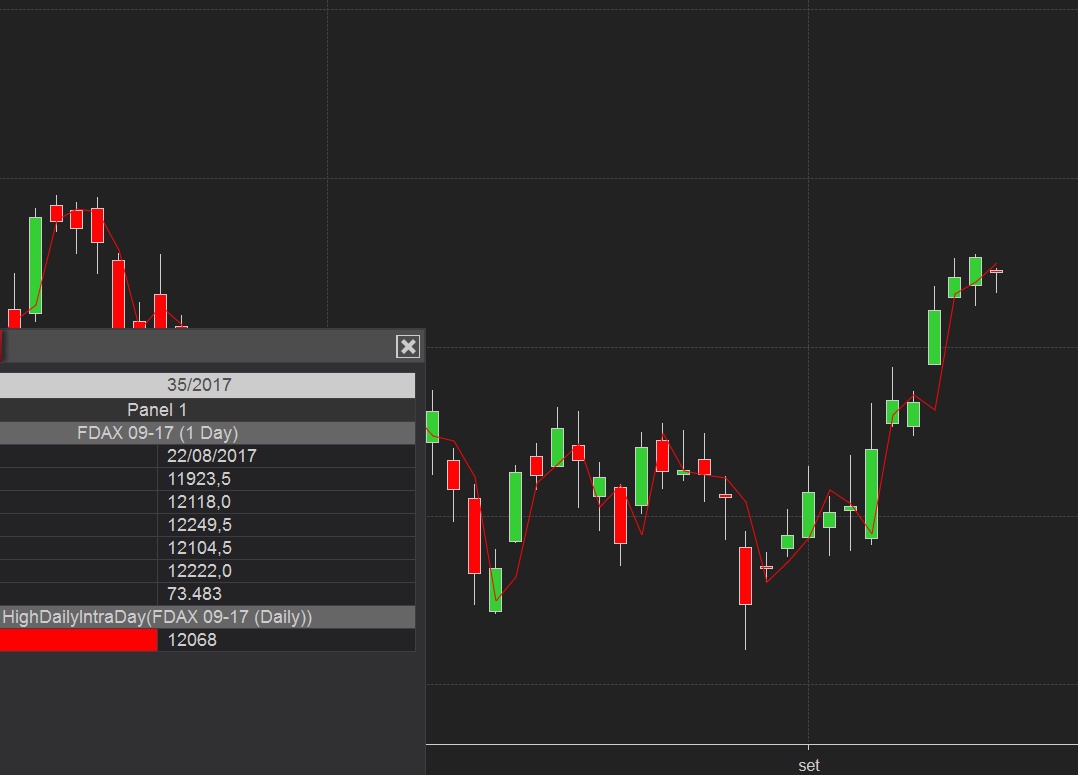
    Your code reference to High[1] would be correct in that calculate mode to obtain the previous day high, or the previous week high or the previous month high according to the chart bars. If the charts bars are not of that bar type then the High comes from the forming 1440 minute bar.

    Comment


      #17
      another problem
      if i write in my code :

      Calculate = Calculate.OnPriceChange

      The Close[1] on daily chart is not correct....


      see code ..thanks
      Attached Files

      Comment


        #18
        Hello turbofib,

        Thanks for your reply.

        When you have an added data series please note that both the chart bars and the added data series will call the OnBarUpdate(). This is causing the references to shift and in one case Closed1 would be the Day close and in another case Closed1 would be the added data series close. If you add the 1440 minute bars to the chart (so you can see both day bars and the 1440 minute bars), the line will reflect the close price from the 1440 minute bars and not the day bars.

        To correct the issue, please add if (BarsInProgress != 0) return; after the line closed1 = Closes[1][0]; and before the line Values[0][0] = closed1;


        As a point of clarification, Day bars close value is adjusted to show the settlement price of the instrument, so the day bar close price will not usually be the same as the last close price of the 1440 minute bars. Reference: http://www.eurexchange.com/exchange-...-Futures/17206

        Comment


          #19
          to complete information an example
          i 've a strategy that call this indicator (HighDailyIntraDay)

          If this indidicator is with Calculate = Calculate.OnPriceChange

          the strategy (that call this indicator ) can to be set with Calculate=OnPriceClose?

          Comment


            #20
            Hello turbofib,

            Thanks for your reply.

            When a script calls another script, the calling script's calculate mode will be used.

            In your case, the strategies calculate mode will be used in the indicator. As the indicator needs Calculate.OnPriceChange then the strategy should be run in that mode.

            Comment


              #21
              i see other problem..

              in my indicator
              HighDailyIntraDay.cs

              the value of High (or similar Open Close Low) change in the last candle and not in the first new session
              It is a problem for my indicator (I want to assign the correct value to the variable up to end session)
              Attached Files

              Comment


                #22
                Hello turbofib,

                Thanks for your post.

                When looking historically the values would be shifted back to same as if Calculate.OnbarClose were used. Note that when connected to live data that the values change.

                Please write into [email protected] Mark the e-mail Atten:Paul and please add a link to this thread in the email. I may have an alternative for you to test/use.

                Comment

                Latest Posts

                Collapse

                Topics Statistics Last Post
                Started by Geovanny Suaza, 02-11-2026, 06:32 PM
                0 responses
                668 views
                0 likes
                Last Post Geovanny Suaza  
                Started by Geovanny Suaza, 02-11-2026, 05:51 PM
                0 responses
                377 views
                1 like
                Last Post Geovanny Suaza  
                Started by Mindset, 02-09-2026, 11:44 AM
                0 responses
                110 views
                0 likes
                Last Post Mindset
                by Mindset
                 
                Started by Geovanny Suaza, 02-02-2026, 12:30 PM
                0 responses
                575 views
                1 like
                Last Post Geovanny Suaza  
                Started by RFrosty, 01-28-2026, 06:49 PM
                0 responses
                580 views
                1 like
                Last Post RFrosty
                by RFrosty
                 
                Working...
                X