Announcement

Collapse
No announcement yet.

Partner 728x90

Collapse

Here's how to FORCE SEND KEY in NINJA with focus on Chart Window

Collapse
X
 
  • Filter
  • Time
  • Show
Clear All
new posts

    Here's how to FORCE SEND KEY in NINJA with focus on Chart Window

    Hello Fellow Ninjas,
    Everyone wants to send a key,
    but
    No one wants to use Windows.Forms
    Use this: (Replace ESC with your key and use where you need it, obviously)

    var MAIN_WINDOW = System.Windows.Window.GetWindow (ChartControl); // Assuming ChartControl is a reference to the chart panel or control

    if (MAIN_WINDOW != null)
    {
    MAIN_WINDOW.InputBindings.Add (new KeyBinding (ApplicationCommands.Close, new KeyGesture (Key.Escape)));

    try
    {
    MAIN_WINDOW.CommandBindings[0].Command.Execute (null);
    }
    catch (Exception ex)
    {
    // Handle any exceptions
    Console.WriteLine (ex.Message);
    }

    MAIN_WINDOW.InputBindings.Clear ();
    }​

    #2
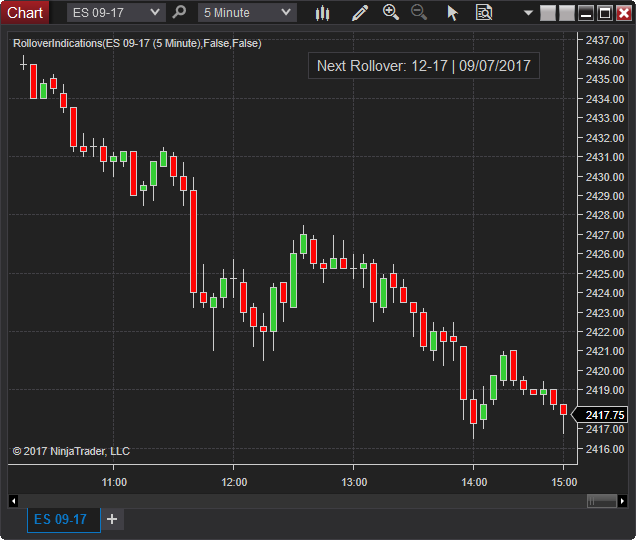
    This may be a better way to force recalc with F5 possibly. The issue with the usual way is that it only works if the window is the focused one, and if you focus it, but you have a lot of them open, there can be complications. For instance, imagine someone is typing on a different window when this happens. For an example of how it's done in the usual way take a look at the download "Rollover Indications" by NinjaTrader_ChelseaB.
    Bruce DeVault
    QuantKey Trading Vendor Services
    NinjaTrader Ecosystem Vendor - QuantKey

    Comment


      #3
      I had to beat it out of ChatGpt lol

      Comment


        #4
        Originally posted by Entwaze View Post
        Hello Fellow Ninjas,
        Everyone wants to send a key,
        but
        No one wants to use Windows.Forms
        Use this: (Replace ESC with your key and use where you need it, obviously)

        var MAIN_WINDOW = System.Windows.Window.GetWindow (ChartControl); // Assuming ChartControl is a reference to the chart panel or control

        if (MAIN_WINDOW != null)
        {
        MAIN_WINDOW.InputBindings.Add (new KeyBinding (ApplicationCommands.Close, new KeyGesture (Key.Escape)));

        try
        {
        MAIN_WINDOW.CommandBindings[0].Command.Execute (null);
        }
        catch (Exception ex)

        // Handle any exceptions
        Console.WriteLine (ex.Message);
        }

        MAIN_WINDOW.InputBindings.Clear ()
        }​
        I tried my best to get this to work but just couldn't. After implementing this code above, I received a threading error so I tried using
        Code:
        ChartControl.Dispatcher.InvokeAsync(new Action(() =>.
        Is that necessary? This made the error message disappear but did not result in the anticipated action. Any help would be much appreciated.

        Comment


          #5
          Hello Taggart,

          When working with the UI you do need to use the dispatcher invoke async because that is a cross thread operation.

          The control you are trying to target would need to be in focus to send keyboard events to it. You can see the following indicator that sends keyboard commands to the chart and shows how to focus the elements. Take a look at the RolloverBtn_Click method for an example. If you are using that type of code from other areas like OnBarUpdate you would want to use a dispatcher, that script does not use a dispatcher because the code is activated from a UI button.

          Shows a button on the chart to roll the expiry to the next available contract month. Option to hide button until a number of days before or on roll date. Another option to confirm by opening the instrument overlay selector or automatically rollover without confirmation. (Update June 27th, 2019 – Added an option to show […]


          As a side note some keyboard keys are already mapped and may not be able to be used without addition logic using previewkey events and handling those events.

          Comment


            #6
            Originally posted by NinjaTrader_Jesse View Post
            Hello Taggart,

            When working with the UI you do need to use the dispatcher invoke async because that is a cross thread operation.

            The control you are trying to target would need to be in focus to send keyboard events to it. You can see the following indicator that sends keyboard commands to the chart and shows how to focus the elements. Take a look at the RolloverBtn_Click method for an example. If you are using that type of code from other areas like OnBarUpdate you would want to use a dispatcher, that script does not use a dispatcher because the code is activated from a UI button.

            Shows a button on the chart to roll the expiry to the next available contract month. Option to hide button until a number of days before or on roll date. Another option to confirm by opening the instrument overlay selector or automatically rollover without confirmation. (Update June 27th, 2019 – Added an option to show […]


            As a side note some keyboard keys are already mapped and may not be able to be used without addition logic using previewkey events and handling those events.
            Oh, ok. I misunderstood this post, thinking that this code would handle the focus issue programmatically.

            Comment

            Latest Posts

            Collapse

            Topics Statistics Last Post
            Started by Geovanny Suaza, 02-11-2026, 06:32 PM
            0 responses
            627 views
            0 likes
            Last Post Geovanny Suaza  
            Started by Geovanny Suaza, 02-11-2026, 05:51 PM
            0 responses
            359 views
            1 like
            Last Post Geovanny Suaza  
            Started by Mindset, 02-09-2026, 11:44 AM
            0 responses
            105 views
            0 likes
            Last Post Mindset
            by Mindset
             
            Started by Geovanny Suaza, 02-02-2026, 12:30 PM
            0 responses
            562 views
            1 like
            Last Post Geovanny Suaza  
            Started by RFrosty, 01-28-2026, 06:49 PM
            0 responses
            567 views
            1 like
            Last Post RFrosty
            by RFrosty
             
            Working...
            X