
Is it possible to run a strategy at 500x speed in market replay? I have not been able to get any executions at all.
-
Hello brucelevy,
Thank you for your inquiry.
Your strategy should still be executing orders on 500x speed.
Does this also occur when testing on the SampleMACrossOver, for example?Zachary G.NinjaTrader Customer Service -
Works fine now, the account was not selecting replay.
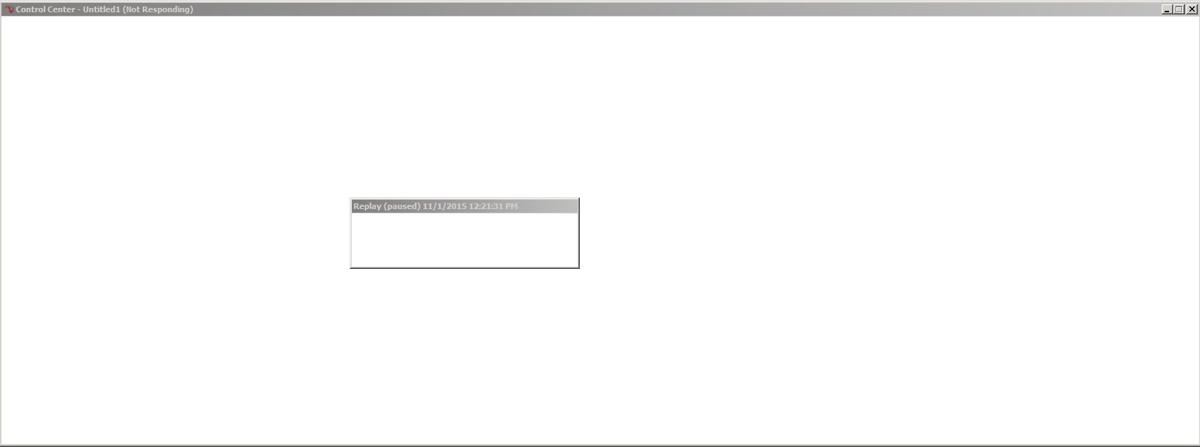
However, when I load NT and connect to the replay the platform freezes:
I'm also having a similar issue when connecting to regular data (tries to load market data and freeze) but I am only loading 1 day of live data when this happens.Comment
-
Hello brucelevy,
As a test, please take the following steps to force NinjaTrader to start without your saved workspace. You will have the option to reopen these after our tests.
- Shut down NinjaTrader
- Navigate to (My) Documents\NinjaTrader 7\workspaces
- Delete the file named "_Workspaces.XML". DO NOT delete the 'workspaces' folder - only delete the '_Workspaces.XML' file within the 'workspaces' folder
- After deleting this file, restart NinjaTrader which should startup without any workspaces.
- Once NinjaTrader has started on just the control center, please open a new chart with no custom bar types/indicators/templates and test for issue.
- *Please note this will not delete your workspace however the new blank workspace will be named Untitled1. If you have a workspace already named Untitled1 however you will not want to save the workspace when exiting NinjaTrader, otherwise it will overwrite it.
If there are no issues on this new workspace, please try opening the previous workspace by going to File--> Workspaces--> Open workspace.
If this reintroduces issues, I would suggest rebuilding your workspace, adding 1 indicator at a time. Please keep track of what indicators you add back in so that we can narrow down what may be causing this issue if the issue returns. I also suggest making a backup of your workspace so we can restore a backup if the issue returns.
I have provided a link below to our Help Guide that goes over backing up and restoring.
Zachary G.NinjaTrader Customer ServiceComment
- Shut down NinjaTrader

| Topics | Statistics | Last Post | ||
|---|---|---|---|---|
|
0 responses
45 views
0 likes
|

by SalmaTrader
07-07-2026, 10:26 PM
|
|||
|
0 responses
22 views
0 likes
|
by CarlTrading
07-05-2026, 01:16 PM
|
|||
|
0 responses
14 views
0 likes
|
by CaptainJack
06-17-2026, 10:32 AM
|
|||
|
0 responses
20 views
0 likes
|
by kinfxhk
06-17-2026, 04:15 AM
|
|||
|
0 responses
22 views
0 likes
|
by kinfxhk
06-17-2026, 04:06 AM
|
Comment