Is there a way to set NT to send an email when a position is entered instead of after every OCO? Or am I misunderstanding how the email string actually works?
-
RDPoS, this is definitely possible. You can use the OnPositionUpdate() method to track changes in position to send out emails whenever your position changes. What code are you currently using to send these emails?AustinNinjaTrader Customer Service -
You could email the Position.AvgPrice from the OnBarUpdate() for example, if you want to access the individual executions you would need to work in OnExecution() then.Comment
-
Hello,
Position.AvgPrice only works on the entry condition.
When you are flat Position.AvgPrice will be 0.
The only way to get the price of the close would be work in OnExecution() and would take some more advanced coding.
You can use this sample to do this:

Let me know if I can be of further assistance.BrettNinjaTrader Product ManagementComment
-
Yes, this is possible. You can work in OnConnectionStatus() method to monitor for disconnections.Ryan M.NinjaTrader Customer ServiceComment
-
Would you see any log errors? Is the email feature generally working out for you?Comment
-
Please also try try changing the SMTP outgoing mail server to use your own ISP's mail server.
You can set this information via the Control Center window Tools > Options > Misc.Comment
-
Ok, I updated the info for gmail as per: http://mail.google.com/support/bin/a...n&answer=13287
The following are the Gmail SMTP server and port settings for sending mail through Gmail from any email client program:
under Outgoing mail, set Gmail SMTP server address: smtp.gmail.com
Configure Gmail SMTP user name as: your full Gmail address (including @gmail.com) Google Apps users may have to enter username@your_domain.com
Configure Gmail SMTP password as: Your Gmail password
Configure Gmail SMTP port as: 465 or 587
Configure Gmail SMTP TLS/SSL required as: yes
Obviously there is no SSL setting that I can find.
NT stops responding and crashes. Why?
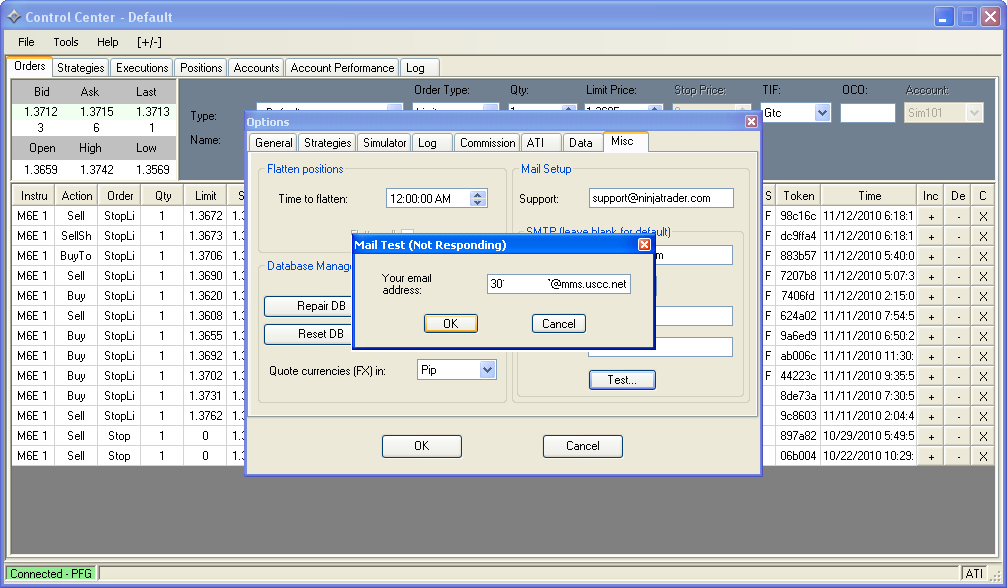 Last edited by RDPoS; 11-12-2010, 07:15 AM.
Comment
-
The second time, I tried after NT shut down, it shut down again.
The third time I tried I got the following error message
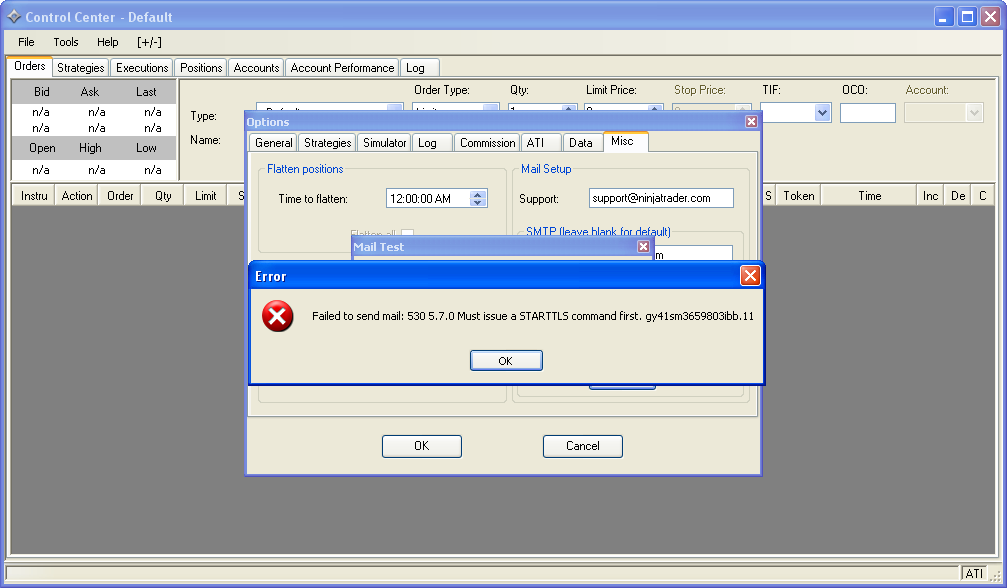
Comment
-
Unfortunately SSL will not work for NT 6.5 - we've added this option for NT7.Comment
| Topics | Statistics | Last Post | ||
|---|---|---|---|---|
|
0 responses
66 views
0 likes
|

by charlesugo_1
05-26-2026, 05:03 PM
|
|||
|
1 response
149 views
0 likes
|
|
|||
|
0 responses
162 views
0 likes
|
by CarlTrading
05-11-2026, 05:56 AM
|
|||
|
0 responses
99 views
0 likes
|
by CarlTrading
05-10-2026, 08:12 PM
|
|||
|
0 responses
286 views
0 likes
|
by Hwop38
05-04-2026, 07:02 PM
|
Comment