Announcement

Collapse
No announcement yet.

Partner 728x90

Collapse

Automated Program Launch for Autotrading

Collapse
X
 
  • Filter
  • Time
  • Show
Clear All
new posts

    Automated Program Launch for Autotrading

    Can anyone provide some suggestions for launching the program for automated trading, immediately following a timed cold boot, using the PC's power management BIOS settings?

    I'm assuming a third party task scheduler to:

    - login to Windows
    - launch the program and login to the data provider using a keyboard/mouse macro recorder.

    And also, at the end of the trading day to:

    - exit the program and shutdown the PC with a keyboard/mouse macro recorder.

    Thanks

    #2
    borland,

    why not just leave the computer on all the time?

    in terms of loading NT, you can also just leave that up with the strategy running, and have some time based logic in your strategy to keep it only trading between specified times...

    What you're suggesting allows many potential problems.
    mrlogik
    NinjaTrader Ecosystem Vendor - Purelogik Trading

    Comment


      #3
      Originally posted by mrlogik View Post
      borland,

      why not just leave the computer on all the time?

      in terms of loading NT, you can also just leave that up with the strategy running, and have some time based logic in your strategy to keep it only trading between specified times...

      What you're suggesting allows many potential problems.
      Leaving the computer on 24/7 wastes energy and computer life. I don't know what your suggesting; I don't see any problems.

      I figured out how to do this with a macro recorder and third party task scheduler. It can be done on both secure (Windows password protected) and on system that have no Windows password.

      I use the BIOS timer to powerup the PC before trading, then immediately following bootup, using Splinterware Software Solutions, System Scheduler Pro, I schedule separate events to do the following:

      - Logon to Windows,
      - Launch the trading platform and login,
      - Lock Windows,
      - Shutdown the PC

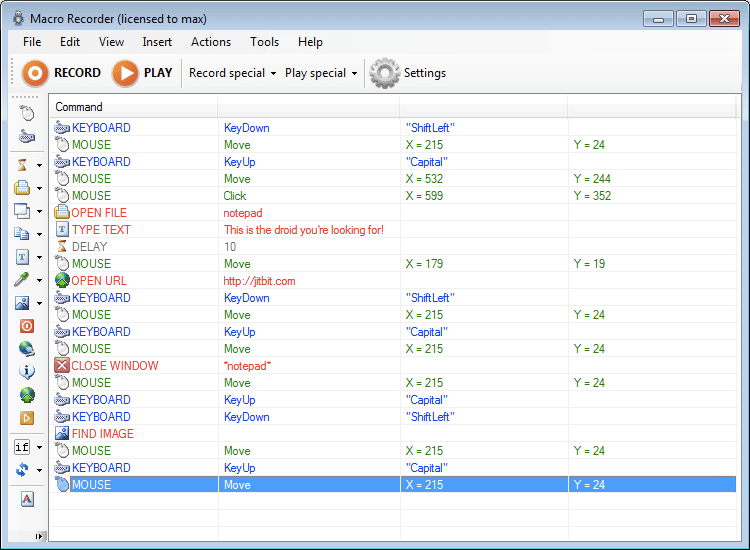
      As a macro recorder to do the program launch and login, I used JitBit Software's Macro Recorder 4.2. Macro Recorder 4.2 can create executibles (e.g., exe).

      I use the macro exe to launch the trading platform and enter the password, so it would be difficult to hack this password, but anything is possible. Search the web and you can find information on resetting the Windows password, so nothing is completely safe.

      At any time, I can logon Windows or use a remote connection, should I need to take manual control.

      Comment


        #4
        Originally posted by borland View Post
        Leaving the computer on 24/7 wastes energy and computer life.
        That's not necessarily true. The wear & tear on the moving parts during startup and shutdown is considerable and modern pc's have good power management during idle times if configured properly.

        Comment


          #5
          Originally posted by borland View Post
          As a macro recorder to do the program launch and login, I used JitBit Software's Macro Recorder 4.2. Macro Recorder 4.2 can create executibles (e.g., exe).
          Thanks for the info on this. I have to restart NT and reload all of my strategies every 24 hours after my forex broker reset. It's inconvenient, time consuming, error prone, and the #1 reason I would stop using NT. This may help alleviate some of my aggravation on that.

          Comment


            #6
            Originally posted by mdrichards View Post
            That's not necessarily true. The wear & tear on the moving parts during startup and shutdown is considerable and modern pc's have good power management during idle times if configured properly.
            It's only five daily startup and shutdowns per week, that shouldn't cause any excessive wear. I think the idle time with 24/7 would be considerable in terms of energy usage, even with efficient power management.

            I'm running a Dell Optiplex with Dell's Energy Smart Design. The power supply is a large brick similar to a laptop is supposed to be very efficient. I've got the power management settings on "Power Saver" mode, and the Windows Task Manager shows average CPU usage around 1%.

            Here are links to the macro recorder and task scheduling utilities I'm using....

            System Scheduler is a powerful task scheduler replacement for Windows, enabling users to automate tasks, schedule applications, and manage reminders with ease.


            The best macro recorder for Windows. Not just a keyboard and mouse recorder but a powerful automation tool that converts macros to EXE files and more.
            Last edited by borland; 02-01-2009, 12:19 PM.

            Comment

            Latest Posts

            Collapse

            Topics Statistics Last Post
            Started by argusthome, 03-08-2026, 10:06 AM
            0 responses
            88 views
            0 likes
            Last Post argusthome  
            Started by NabilKhattabi, 03-06-2026, 11:18 AM
            0 responses
            48 views
            0 likes
            Last Post NabilKhattabi  
            Started by Deep42, 03-06-2026, 12:28 AM
            0 responses
            30 views
            0 likes
            Last Post Deep42
            by Deep42
             
            Started by TheRealMorford, 03-05-2026, 06:15 PM
            0 responses
            34 views
            0 likes
            Last Post TheRealMorford  
            Started by Mindset, 02-28-2026, 06:16 AM
            0 responses
            68 views
            0 likes
            Last Post Mindset
            by Mindset
             
            Working...
            X