Announcement

Collapse
No announcement yet.

Partner 728x90

Collapse

Coding key and value

Collapse
X
 
  • Filter
  • Time
  • Show
Clear All
new posts

    Coding key and value

    I want to hard code the suport zones for various tickers. And depending on the reversal conditions I would like to check these zones by the symbol and shoot out buy/sell signals in MA.

    All I want to do is something like a dictionary where "key" would be the symbol ("AAPL") and "value" would be S1,S2,S3.
    I checked around but could not find the right way of doing this in NT. How would I do this with minimal coding.

    I also looked into text file accessing, even for this I need something like the above to quickly access the values.

    NT Masters... please help

    #2
    To do this, you would need to program the indicator to change the value of a Plot once the condition is true

    Code:
    if(myCondition)
    Plot0.Set(1);
    
    else if (my2ndCondition)
    Plot0.Set(2);
    This will output values of 1 or 2 to the market analyzer. Once you have these values, you can create a "Cell" condition to display text when a value is reached.

    For example you can say when value is equal to 1, display S1, etc

    Please see our Help Guide article on Creating a Cell Condition for more information how to do that part:

    MatthewNinjaTrader Product Management

    Comment


      #3
      Matthew,
      Let me be more clear. When I said support I did not mean the "chart". This is the indicator I am using in MA where a method would return values depending on the symbol it's accessing in onBarUpdate() method. If the Close[0] is near to this "support zone" (double values) then the cell would change color and text. All I need to know how would I construct this Array of Arrays (Dictionary a la Java)
      !kin.

      Comment


        #4
        Yes, I understand you would like to load this in the Market Analyzer. If the indicator already returns a double value, you can setup the Market Analyzer to display whatever you like without any custom coding.

        Using the market analyzer, you can select a public DataSeries or "Plot" which will output a value to the a market analyzer. This plot can only output numeric values, which requires you to setup a specific value such as 1 when the condition is true.

        In order for the Market Analyzer to display text or color when the condition is true, you will need to setup the Market Analyzer to create a cell or color condition when that value is displayed. (i.e., when plot is 1, display text S1).

        I'm also including a link to our Help Guide on Exposing indicator values that are not plots:

        MatthewNinjaTrader Product Management

        Comment


          #5
          Kinshin9,

          Take a look at NT's VolumeProfile indicator. If I recall i uses a SortedDictionary with public Class as the Value in the the Key /Value relationship.

          This should give a good place to start.

          Comment


            #6
            Hello kinshin9,
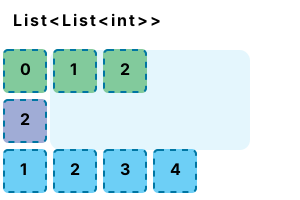
            You could create a generic list of list to do it. Please refer to the below link to know more.

            Code:
            List<List<int>> list = new List<List<int>>();


            This is however more of a C# query and beyond what we could support.
            JoydeepNinjaTrader Customer Service

            Comment

            Latest Posts

            Collapse

            Topics Statistics Last Post
            Started by Geovanny Suaza, 02-11-2026, 06:32 PM
            0 responses
            578 views
            0 likes
            Last Post Geovanny Suaza  
            Started by Geovanny Suaza, 02-11-2026, 05:51 PM
            0 responses
            334 views
            1 like
            Last Post Geovanny Suaza  
            Started by Mindset, 02-09-2026, 11:44 AM
            0 responses
            101 views
            0 likes
            Last Post Mindset
            by Mindset
             
            Started by Geovanny Suaza, 02-02-2026, 12:30 PM
            0 responses
            554 views
            1 like
            Last Post Geovanny Suaza  
            Started by RFrosty, 01-28-2026, 06:49 PM
            0 responses
            551 views
            1 like
            Last Post RFrosty
            by RFrosty
             
            Working...
            X